
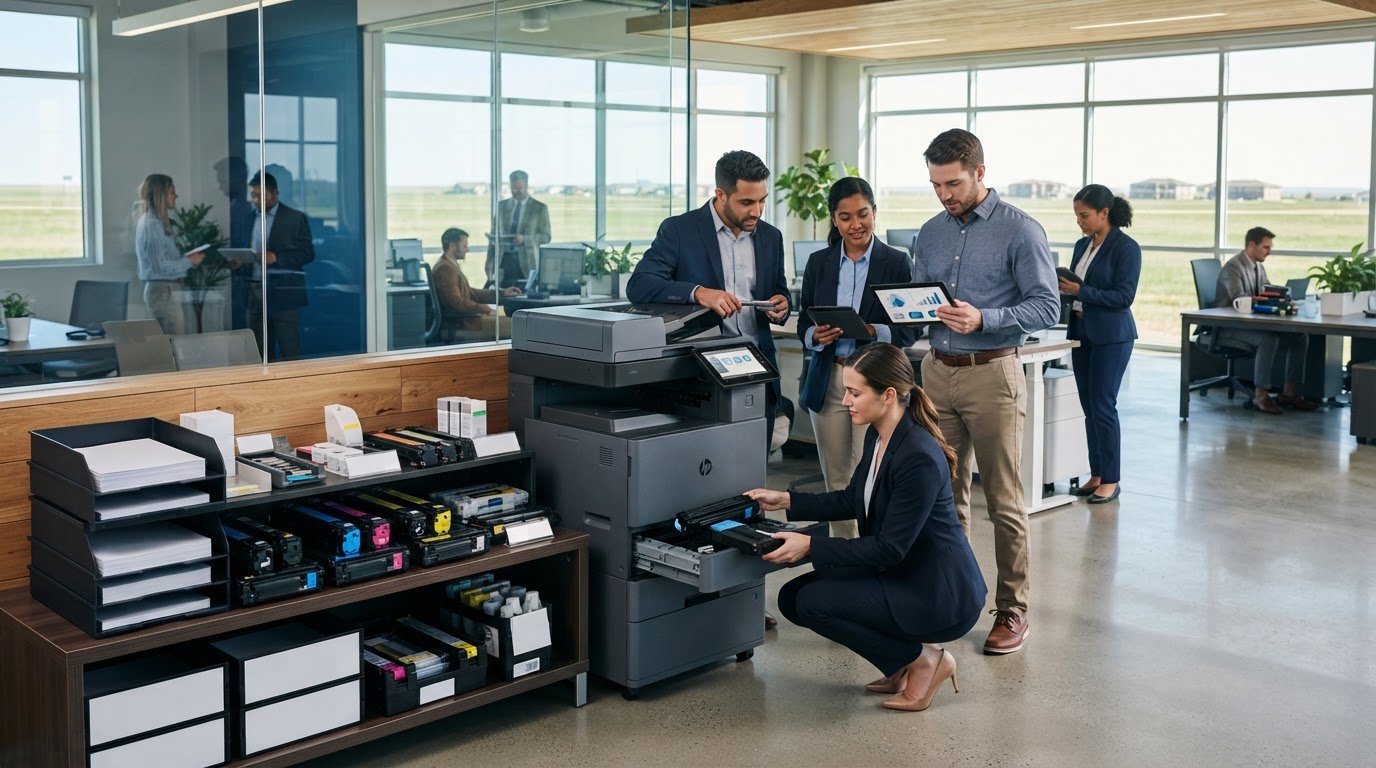
What if a routine print job stalled because the toner ran out or the replacement didn’t fit your equipment? For business printing supplies Watertown companies can rely on, keeping the right items on hand matters as much as knowing when to replenish them. A supply gap can interrupt everyday work, while a mismatched cartridge can waste time and money.
Print needs vary by device and department, and recurring orders can be difficult to coordinate. A dependable supply process starts with understanding your equipment and how your team prints, then planning replenishment around those needs. BENDIX imaging provides printing supplies and managed print solutions for businesses in Watertown and throughout Eastern South Dakota, including Brookings, Sioux Falls, Huron, and Montevideo.
This article explains how to identify compatible supplies, track usage, and plan replenishment so essential items are available when needed. You’ll also learn how managed print can bring supply planning into a more organized process, helping keep office printing dependable without adding another recurring task to your team’s plate.
Key Takeaways
- Use a device-and-supply inventory to reduce guesswork when ordering replacements for office printers.
- Plan supplies around print volume, colour needs, and whether devices are shared across teams.
- Compare ad hoc purchasing with coordinated managed-print support to choose a process that fits your business.
- Assign someone to review supply levels and communicate changing needs across departments.
- BENDIX imaging provides printing supplies and managed print solutions tailored to businesses in Watertown and Eastern South Dakota.
Business Printing Supplies in Watertown: What Your Office Actually Needs
A printer that runs out of toner before a deadline can disrupt more than one job. Staff may need to pause, move work to another device, or redo documents after installing an unsuitable supply. If you’re sourcing business printing supplies for a Watertown office, start by identifying what each printer uses and what your team prints.
Business printing supplies are the consumables used with workplace printers. Common categories include toner, ink, and paper, but the right choice depends on the device and the work it handles. BENDIX imaging provides printing supplies and managed print solutions tailored to a business’s equipment and operational needs.
Which printing supplies does a business use most?
Laser printers use toner, while inkjet printers use ink. These supplies are designed for different printer types and aren’t interchangeable. Paper matters, too. Standard office paper may work well for routine correspondence, while forms or colour materials may call for a different paper choice or print setting. Consider the documents your team produces most often when deciding what to keep available.
Print volume and colour requirements shape supply needs. A team printing mostly internal text documents has different requirements from one producing colour presentations or customer-facing materials. Shared devices need attention as well: when several departments rely on one printer, their combined use affects how often you should review supplies.
Why does supply compatibility matter?
The printer’s make and model determine which consumables fit. A supply that looks similar may still be unsuitable, so ordering without checking the device details can delay a replacement. Before ordering, record each printer’s make and model, the supply type it uses, and the identifying information shown on the current packaging. Keep these details somewhere the person responsible for ordering can easily find them.
Compatible supplies begin with accurate device identification. This simple step helps prevent mismatched orders and gives your team a reliable basis for planning. It also supports a broader managed-print approach, where equipment and supply needs are considered together. For background on this service model, see Wikipedia’s overview of the managed service provider model.
For businesses in Watertown and across Eastern South Dakota, organizing supply information is a practical starting point for dependable printing. Once you know what each device uses and how your teams rely on it, you can build a replenishment process around actual workplace needs.
How to Match Printing Supplies to Your Equipment and Workflow
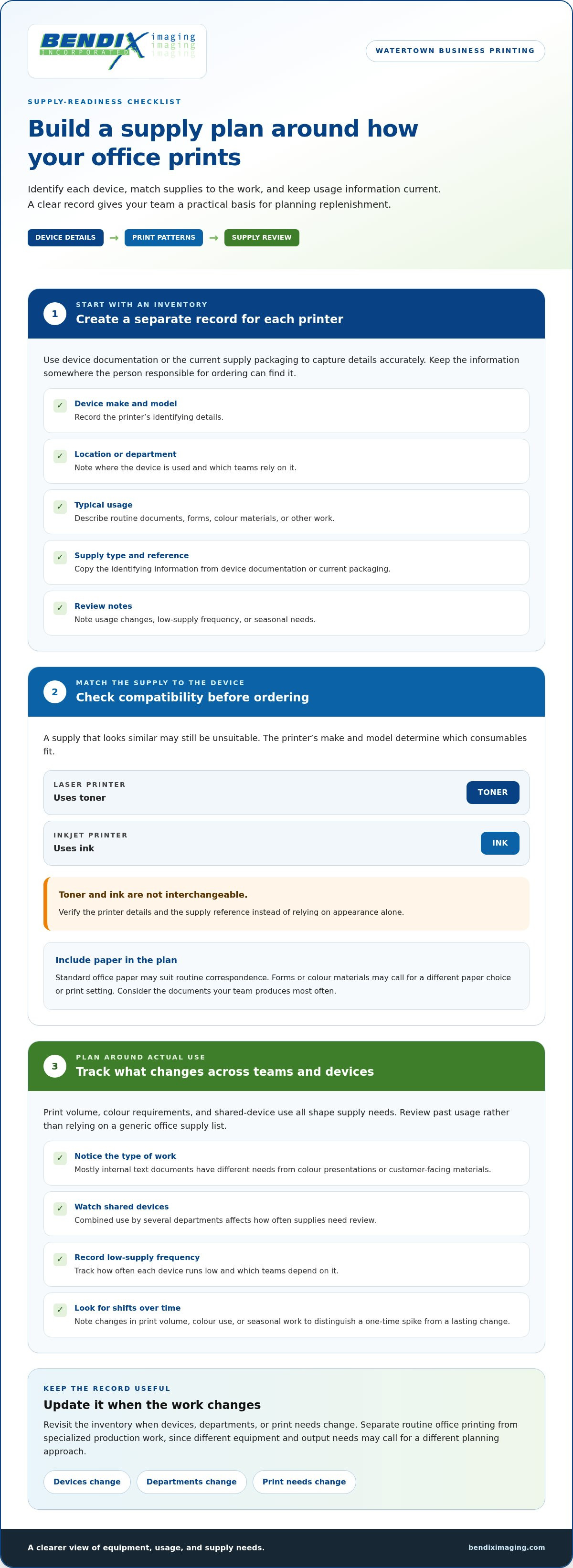
Build your supply plan around how your office actually prints, not a generic list of what an office should keep. First identify each device. Then review its print patterns, record the supplies it uses, and set a regular process to check and replenish stock. This gives the person managing business printing supplies for your Watertown team a clear basis for decisions.
Start with a device-and-supply inventory
For each printer, record its make and model, location, typical usage, and current supply reference. Check the device documentation or packaging from its current supplies to capture the details accurately. Keep a separate entry for each device, especially when multiple printers serve different departments.
- Device make and model: [Record details]
- Location or department: [Record details]
- Typical usage: [Routine documents, forms, colour materials, or other work]
- Supply type and reference: [Record from documentation or packaging]
- Review notes: [Usage changes, low-supply frequency, or seasonal needs]
Separate routine office printing from specialized production work. Correspondence and internal forms generally follow the needs of the office devices that produce them. Businesses with specialized production requirements may need to plan around different equipment and output needs. BENDIX imaging also offers professional iColor equipment. Match the planning process to the work instead of treating every printer as if it serves the same purpose.
Estimate needs from actual use
Review past supply use and note changes throughout the year. A department producing forms or colour materials during a busy season may have a different pattern from one with steady print needs. Track how often each device runs low, which teams depend on it, and whether print volume or colour use has shifted. Pay particular attention to shared devices because several departments draw on the same supplies.
Tracking real usage makes replenishment more predictable. It can also help you distinguish a one-time spike from a lasting change, so you can adjust your review process instead of ordering based on assumptions. For production-focused workflows, the EPA provides background on the environmental impact of printing supplies, including emissions associated with printing inks and solvents.
Use the inventory as a working record, and update it when devices, departments, or print needs change. BENDIX imaging tailors printing supplies and managed print support to a business’s equipment and operational needs. Explore printing supplies and managed print support as part of a more organized process.
Buy Supplies as Needed or Coordinate Them Through Managed Print?
There isn’t one supply process that fits every office. A business with one printer and occasional, predictable orders may prefer to buy supplies as needed. When devices, departments, and print demands multiply, coordinating supply planning with managed print can make the print environment easier to oversee. The right fit depends on print complexity, staff time, and the size of your equipment footprint.
| Consideration | Ad hoc purchasing | Coordinated managed-print support |
|---|---|---|
| Workflow ownership | An employee monitors needs and places orders. | Supply planning is considered alongside the business’s print environment. |
| Usage visibility | Based on the records and observations staff maintain. | Usage can be reviewed as part of an organized print-management approach. |
| Ordering effort | Staff handle supply checks and reordering. | Coordination can reduce the number of separate tasks staff manage. |
| Device support | Supply purchases are generally handled separately from device oversight. | Supply needs are connected to the broader managed-print relationship. |
When can individual supply ordering work well?
Ad hoc purchasing can suit a small, stable setup with straightforward, infrequent supply needs. If one person knows which supply each device uses and orders before stock runs low, individual purchasing may be simple and effective. Keep a basic tracking and reordering process in place. A clear owner and purchase records help prevent orders from depending on memory alone.
When is managed print worth considering?
Several devices, shared printers, and departments with different print patterns can make supply coordination more difficult. Managed print connects supply planning with the larger print environment, giving businesses a structured way to consider equipment and recurring needs together. Supply planning does not automatically resolve every device or security concern. For example, CISA’s guidance on a Windows Print Spooler vulnerability illustrates why organizations should treat print-related security as a distinct consideration alongside supply planning and review secure managed print support.
For a wider explanation, explore Managed Print Solutions: Business Guide to Efficiency and Managed Print Services Near Me: Compare Local Business Solutions. BENDIX imaging provides managed print solutions and printing supplies for businesses in Watertown and throughout Eastern South Dakota. Compare your current ordering effort, staff capacity, and equipment needs to decide whether coordinated support makes sense for your business.
A Practical Supply-Readiness Checklist for Watertown Businesses
A reliable supply process starts with a clear picture of what each office uses and who keeps track of it. Whether your team works from one Watertown location or serves customers across Eastern South Dakota, use the same basic checklist at each site. This makes supply needs easier to review while keeping differences between departments and locations visible.
What should you prepare before organizing supply support?
- List every device: Record each printer’s make, model, location, and the teams that use it.
- Note current supply details: Capture the supply type and reference from device documentation or existing packaging.
- Describe print patterns: Identify routine document volume, recurring forms, and busy periods that may change usage.
- Flag colour needs: Note which teams or documents require colour output and which devices handle that work.
- Assign responsibility: Name someone to review supply levels, coordinate orders, and share changes with departments.
- Record workflow concerns: Include recurring low-supply interruptions or devices that multiple teams depend on.
For a multi-location operation, add a site or branch field to the inventory and keep each location’s device and supply records distinct. A shared view can help the person responsible spot common needs, while location-level details prevent supplies for one device or office from being confused with another’s.
How can teams prevent avoidable supply gaps?
Set a review schedule that reflects actual use and business cycles. A device used heavily during a recurring busy period may need closer attention then, while a printer with steady, modest use may need less frequent review. There’s no need to impose the same schedule on every device. Let observed usage guide the routine.
Make reporting simple. Tell staff who to notify when a supply runs low and what details to include, such as the device location and supply reference. The assigned owner can review those reports, update the inventory, and communicate changes in department needs. This creates an early warning process before an urgent print job exposes a supply gap.
For businesses planning business printing supplies Watertown across different teams or sites, organized records also help clarify where managed print support may fit. BENDIX imaging provides printing supplies and managed print solutions tailored to business equipment and operational needs. Discuss your business printing needs with BENDIX imaging.
Get Business Printing Supplies and Managed Print Support in Watertown
Dependable printing starts with a clear decision path: identify the equipment, understand how each device is used, choose a supply process that fits your operation, and review needs as they change. This keeps routine supply planning connected to workplace requirements instead of treating every order as a separate task.
How does managed print connect supplies and equipment?
Supplies are one part of a larger print environment. Device types determine which consumables are needed, while print volume, shared workflows, and the documents employees produce shape how the office plans for them. Managed print considers the broader relationship between equipment, print workflows, and ongoing operational needs.
For businesses with specialized production requirements, professional iColor equipment may be relevant alongside everyday office printing. The article iColor Printing for Business: How the Process, Equipment, and Workflow Fit Together explores related considerations.
What is the next step for a Watertown business?
Start with a practical picture of your operation: the devices your team relies on, the supplies they use, where print interruptions occur, and how departments handle ordering today. Bring those details into a discussion about supply support. A clear description of your workflow helps keep the conversation focused on your business requirements.
BENDIX imaging is an established local provider in Watertown, serving businesses throughout Eastern South Dakota with printing supplies and managed print solutions. Support is tailored to your equipment and operational needs, whether you’re organizing supplies for one office or reviewing a broader print environment. For business printing supplies Watertown companies need, include equipment fit and day-to-day workflow in your decision.
Talk with BENDIX imaging about your business printing needs.
Make Your Printing Supply Process More Dependable
Keep office printing on track by matching supplies to each device, reviewing actual usage, and assigning someone to monitor changing needs. A straightforward ordering process may suit a small, stable setup, while businesses with more devices or departments may benefit from coordinating supplies through managed print support.
For business printing supplies Watertown companies need, BENDIX imaging provides printing supplies and managed print solutions tailored to business equipment and operational needs. The company serves businesses in Watertown and throughout Eastern South Dakota, including Brookings, Sioux Falls, Huron, and Montevideo, helping connect supply planning with the wider print environment.
Put your device and supply information to work. Talk with BENDIX imaging about your business printing needs and discuss an approach that fits your operation. With a clearer process in place, your team can focus on work instead of avoidable supply interruptions.
Frequently Asked Questions
Where can a business buy printing supplies in Watertown?
Businesses can buy printing supplies from BENDIX imaging, a Watertown provider offering business printing supplies and managed print solutions. The company serves organizations in Watertown and across Eastern South Dakota, including Brookings, Sioux Falls, Huron, and Montevideo. To make supply planning practical, organize your printer models, current supply references, and typical print needs so purchasing decisions reflect the equipment and workflows your staff rely on.
How do I know which toner or ink is compatible with my business printer?
Check the printer’s exact make and model, then match it to the supply reference in the device documentation or on existing packaging. Toner and ink are designed for different printer types and aren’t interchangeable. Record the reference beside the device location, especially if your office has several similar printers. BENDIX imaging provides printing supplies tailored to business equipment and operational requirements.
Can a managed print provider help coordinate business printing supplies?
Yes. Managed print can connect supply planning with the broader print environment, including the devices employees use and the ways departments rely on them. This helps businesses consider recurring supply needs alongside their equipment and workflows, rather than treating every order as an isolated purchase. BENDIX imaging offers managed print solutions and printing supplies for businesses in Watertown and throughout Eastern South Dakota.
How often should a business reorder printer supplies?
Set reorder reviews according to actual usage, not a generic office schedule. Track how often each printer runs low, how quickly supplies are used, and whether seasonal workloads or colour-printing needs change the pattern. A shared device used by several teams may need closer monitoring. Review the records regularly and adjust the routine when print volume, staffing, or business cycles change.
What information should I have ready before ordering office printing supplies?
Have each printer’s make and model, location, and current supply type or reference ready. Also note typical print volume, colour requirements, which teams use the device, and any recurring supply interruptions. This information helps distinguish one printer’s needs from another’s and gives the person placing orders a reliable reference. Keep the details in a shared inventory that’s easy to update.
Are business printing supplies different from supplies for home printers?
Some supply categories, such as toner, ink, and paper, are common to home and business printing. The right choice still depends on the specific printer. Business planning also needs to account for shared devices, department workflows, document types, colour needs, and recurring usage. Match supplies to each device and the work it handles rather than assuming a supply for a home printer will fit.
Can printing supplies be managed across multiple office locations?
Yes. Create a separate device and supply record for each site, noting printer models, locations, current supply references, usage patterns, and the person responsible for review. A consistent format makes it easier to coordinate needs while preserving important differences between offices. BENDIX imaging serves businesses in Watertown, Brookings, Sioux Falls, Huron, Montevideo, and throughout Eastern South Dakota with printing supplies and managed print solutions.
{"@context":"https://schema.org","@type":"FAQPage","mainEntity":[{"@type":"Question","name":"Which printing supplies does a business use most?","acceptedAnswer":{"@type":"Answer","text":"Laser printers use toner, while inkjet printers use ink. These supplies are designed for different printer types and aren’t interchangeable. Paper matters, too. Standard office paper may work well for routine correspondence, while forms or colour materials may call for a different paper choice or print setting. Consider the documents your team produces most often when deciding what to keep available. Print volume and colour requirements shape supply needs. A team printing mostly internal text documents has different requirements from one producing colour presentations or customer-facing materials. Shared devices need attention as well: when several departments rely on one printer, their combined use affects how often you should review supplies."}},{"@type":"Question","name":"Why does supply compatibility matter?","acceptedAnswer":{"@type":"Answer","text":"The printer’s make and model determine which consumables fit. A supply that looks similar may still be unsuitable, so ordering without checking the device details can delay a replacement. Before ordering, record each printer’s make and model, the supply type it uses, and the identifying information shown on the current packaging. Keep these details somewhere the person responsible for ordering can easily find them. Compatible supplies begin with accurate device identification. This simple step helps prevent mismatched orders and gives your team a reliable basis for planning. It also supports a broader managed-print approach, where equipment and supply needs are considered together. For background on this service model, see Wikipedia’s overview of the managed service provider model. For businesses in Watertown and across Eastern South Dakota, organizing supply information is a practical starting point for dependable printing. Once you know what each device uses and how your teams rely on it, you can build a replenishment process around actual workplace needs. Build your supply plan around how your office actually prints, not a generic list of what an office should keep. First identify each device. Then review its print patterns, record the supplies it uses, and set a regular process to check and replenish stock. This gives the person managing business printing supplies for your Watertown team a clear basis for decisions."}},{"@type":"Question","name":"When can individual supply ordering work well?","acceptedAnswer":{"@type":"Answer","text":"Ad hoc purchasing can suit a small, stable setup with straightforward, infrequent supply needs. If one person knows which supply each device uses and orders before stock runs low, individual purchasing may be simple and effective. Keep a basic tracking and reordering process in place. A clear owner and purchase records help prevent orders from depending on memory alone."}},{"@type":"Question","name":"When is managed print worth considering?","acceptedAnswer":{"@type":"Answer","text":"Several devices, shared printers, and departments with different print patterns can make supply coordination more difficult. Managed print connects supply planning with the larger print environment, giving businesses a structured way to consider equipment and recurring needs together. Supply planning does not automatically resolve every device or security concern. For example, CISA’s guidance on a Windows Print Spooler vulnerability illustrates why organizations should treat print-related security as a distinct consideration alongside supply planning and review secure managed print support. For a wider explanation, explore Managed Print Solutions: Business Guide to Efficiency and Managed Print Services Near Me: Compare Local Business Solutions. BENDIX imaging provides managed print solutions and printing supplies for businesses in Watertown and throughout Eastern South Dakota. Compare your current ordering effort, staff capacity, and equipment needs to decide whether coordinated support makes sense for your business. A reliable supply process starts with a clear picture of what each office uses and who keeps track of it. Whether your team works from one Watertown location or serves customers across Eastern South Dakota, use the same basic checklist at each site. This makes supply needs easier to review while keeping differences between departments and locations visible."}},{"@type":"Question","name":"What should you prepare before organizing supply support?","acceptedAnswer":{"@type":"Answer","text":"For a multi-location operation, add a site or branch field to the inventory and keep each location’s device and supply records distinct. A shared view can help the person responsible spot common needs, while location-level details prevent supplies for one device or office from being confused with another’s."}},{"@type":"Question","name":"How can teams prevent avoidable supply gaps?","acceptedAnswer":{"@type":"Answer","text":"Set a review schedule that reflects actual use and business cycles. A device used heavily during a recurring busy period may need closer attention then, while a printer with steady, modest use may need less frequent review. There’s no need to impose the same schedule on every device. Let observed usage guide the routine. Make reporting simple. Tell staff who to notify when a supply runs low and what details to include, such as the device location and supply reference. The assigned owner can review those reports, update the inventory, and communicate changes in department needs. This creates an early warning process before an urgent print job exposes a supply gap. For businesses planning business printing supplies Watertown across different teams or sites, organized records also help clarify where managed print support may fit. BENDIX imaging provides printing supplies and managed print solutions tailored to business equipment and operational needs. Discuss your business printing needs with BENDIX imaging. Dependable printing starts with a clear decision path: identify the equipment, understand how each device is used, choose a supply process that fits your operation, and review needs as they change. This keeps routine supply planning connected to workplace requirements instead of treating every order as a separate task."}},{"@type":"Question","name":"How does managed print connect supplies and equipment?","acceptedAnswer":{"@type":"Answer","text":"Supplies are one part of a larger print environment. Device types determine which consumables are needed, while print volume, shared workflows, and the documents employees produce shape how the office plans for them. Managed print considers the broader relationship between equipment, print workflows, and ongoing operational needs. For businesses with specialized production requirements, professional iColor equipment may be relevant alongside everyday office printing. The article iColor Printing for Business: How the Process, Equipment, and Workflow Fit Together explores related considerations."}},{"@type":"Question","name":"What is the next step for a Watertown business?","acceptedAnswer":{"@type":"Answer","text":"Start with a practical picture of your operation: the devices your team relies on, the supplies they use, where print interruptions occur, and how departments handle ordering today. Bring those details into a discussion about supply support. A clear description of your workflow helps keep the conversation focused on your business requirements. BENDIX imaging is an established local provider in Watertown, serving businesses throughout Eastern South Dakota with printing supplies and managed print solutions. Support is tailored to your equipment and operational needs, whether you’re organizing supplies for one office or reviewing a broader print environment. For business printing supplies Watertown companies need, include equipment fit and day-to-day workflow in your decision. Talk with BENDIX imaging about your business printing needs. Keep office printing on track by matching supplies to each device, reviewing actual usage, and assigning someone to monitor changing needs. A straightforward ordering process may suit a small, stable setup, while businesses with more devices or departments may benefit from coordinating supplies through managed print support. For business printing supplies Watertown companies need, BENDIX imaging provides printing supplies and managed print solutions tailored to business equipment and operational needs. The company serves businesses in Watertown and throughout Eastern South Dakota, including Brookings, Sioux Falls, Huron, and Montevideo, helping connect supply planning with the wider print environment. Put your device and supply information to work. Talk with BENDIX imaging about your business printing needs and discuss an approach that fits your operation. With a clearer process in place, your team can focus on work instead of avoidable supply interruptions."}},{"@type":"Question","name":"Where can a business buy printing supplies in Watertown?","acceptedAnswer":{"@type":"Answer","text":"Businesses can buy printing supplies from BENDIX imaging, a Watertown provider offering business printing supplies and managed print solutions. The company serves organizations in Watertown and across Eastern South Dakota, including Brookings, Sioux Falls, Huron, and Montevideo. To make supply planning practical, organize your printer models, current supply references, and typical print needs so purchasing decisions reflect the equipment and workflows your staff rely on."}},{"@type":"Question","name":"How do I know which toner or ink is compatible with my business printer?","acceptedAnswer":{"@type":"Answer","text":"Check the printer’s exact make and model, then match it to the supply reference in the device documentation or on existing packaging. Toner and ink are designed for different printer types and aren’t interchangeable. Record the reference beside the device location, especially if your office has several similar printers. BENDIX imaging provides printing supplies tailored to business equipment and operational requirements."}},{"@type":"Question","name":"Can a managed print provider help coordinate business printing supplies?","acceptedAnswer":{"@type":"Answer","text":"Yes. Managed print can connect supply planning with the broader print environment, including the devices employees use and the ways departments rely on them. This helps businesses consider recurring supply needs alongside their equipment and workflows, rather than treating every order as an isolated purchase. BENDIX imaging offers managed print solutions and printing supplies for businesses in Watertown and throughout Eastern South Dakota."}},{"@type":"Question","name":"How often should a business reorder printer supplies?","acceptedAnswer":{"@type":"Answer","text":"Set reorder reviews according to actual usage, not a generic office schedule. Track how often each printer runs low, how quickly supplies are used, and whether seasonal workloads or colour-printing needs change the pattern. A shared device used by several teams may need closer monitoring. Review the records regularly and adjust the routine when print volume, staffing, or business cycles change."}},{"@type":"Question","name":"What information should I have ready before ordering office printing supplies?","acceptedAnswer":{"@type":"Answer","text":"Have each printer’s make and model, location, and current supply type or reference ready. Also note typical print volume, colour requirements, which teams use the device, and any recurring supply interruptions. This information helps distinguish one printer’s needs from another’s and gives the person placing orders a reliable reference. Keep the details in a shared inventory that’s easy to update."}},{"@type":"Question","name":"Are business printing supplies different from supplies for home printers?","acceptedAnswer":{"@type":"Answer","text":"Some supply categories, such as toner, ink, and paper, are common to home and business printing. The right choice still depends on the specific printer. Business planning also needs to account for shared devices, department workflows, document types, colour needs, and recurring usage. Match supplies to each device and the work it handles rather than assuming a supply for a home printer will fit."}},{"@type":"Question","name":"Can printing supplies be managed across multiple office locations?","acceptedAnswer":{"@type":"Answer","text":"Yes. Create a separate device and supply record for each site, noting printer models, locations, current supply references, usage patterns, and the person responsible for review. A consistent format makes it easier to coordinate needs while preserving important differences between offices. BENDIX imaging serves businesses in Watertown, Brookings, Sioux Falls, Huron, Montevideo, and throughout Eastern South Dakota with printing supplies and managed print solutions."}}]}


