
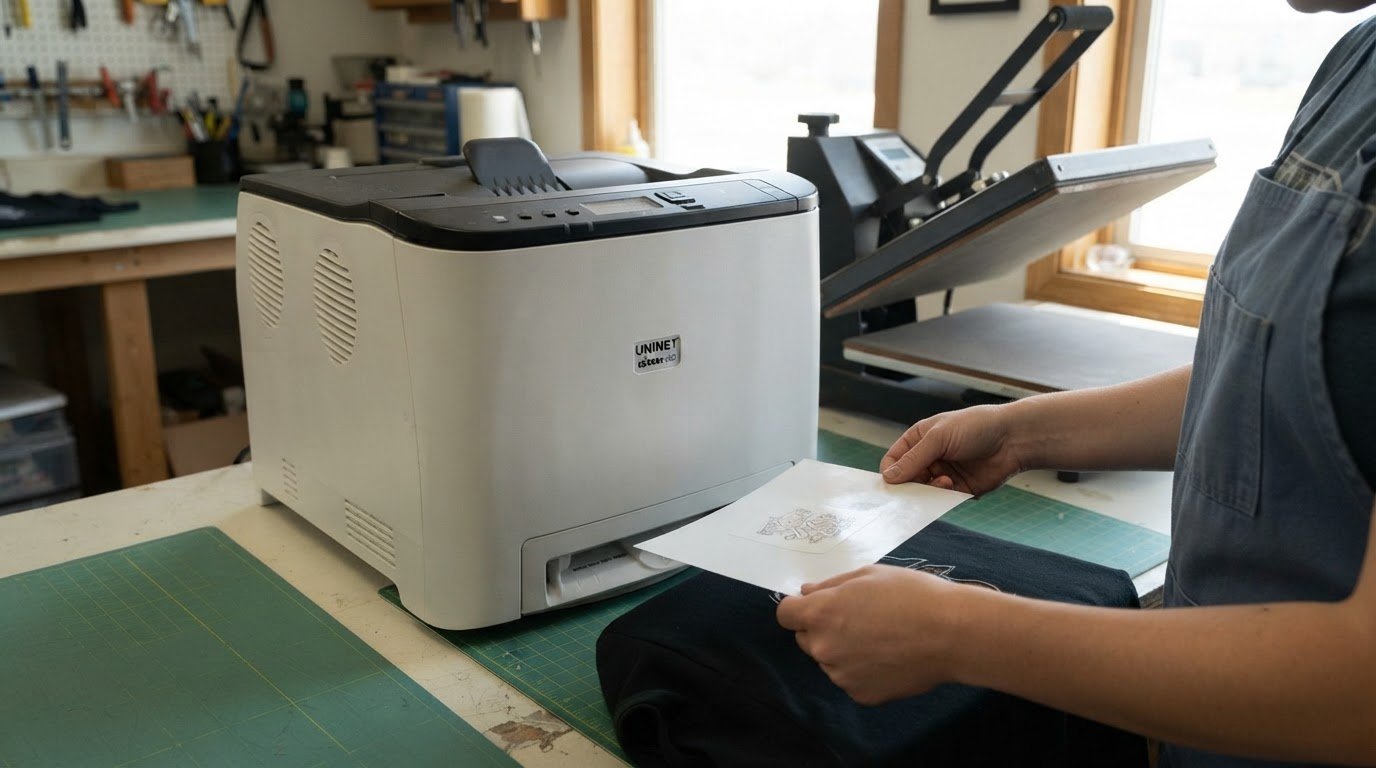
Choosing between the UniNet iColor 560 and an OKI white toner printer for apparel comes down to transfer workflow, white-toner capacity, and the print size your designs require. The iColor 560 prints transfers on transfer paper for application with a heat press, and its extended white toner cartridge is rated for 7,000 pages. Those details give you a practical starting point, but the right fit depends on the apparel jobs you run and the output each printer supports.
It’s sensible to look beyond the printer’s name: toner yield, available format, and the way white toner is applied can all affect how well a setup fits your production. This comparison breaks down those factors, including the iColor 560’s dimensions and its white-toner printing method. You’ll come away with a clearer basis for deciding which printer better matches your transfer workflow.
Key Takeaways
- Match your transfer workflow to the printer: the iColor 560 uses transfer paper and a heat press to apply designs to apparel.
- Use toner yield to think through production needs, including the iColor 560’s extended white cartridge rating.
- Compare printer footprint with the size of your artwork and transfer media before choosing a format.
- Look closely at how each printer handles white toner, since the printing method can affect toner use and transfer preparation.
Apparel and heat-transfer production
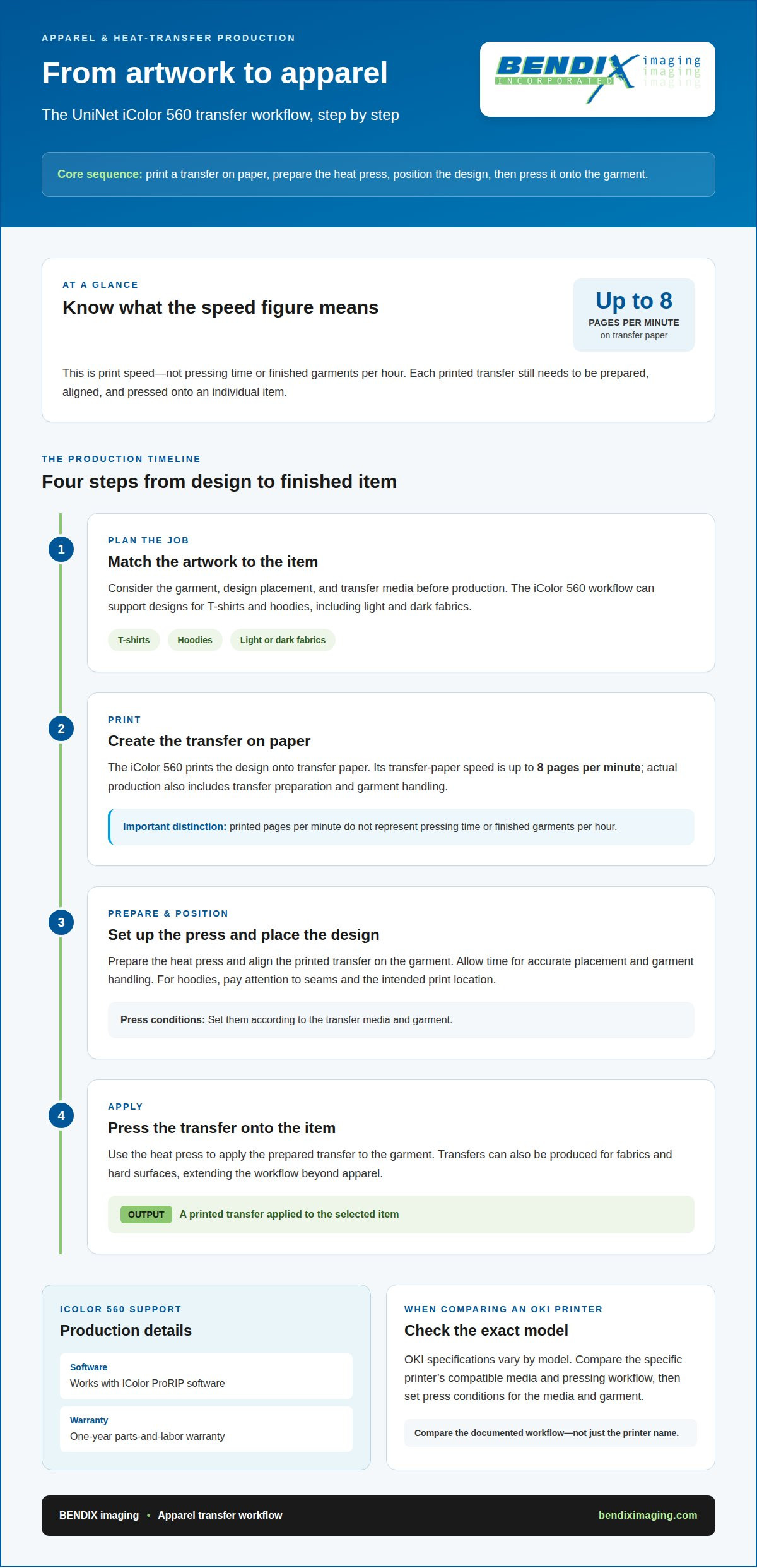
For apparel, the iColor 560 prints a transfer on paper, then a heat press applies it to the garment. This workflow suits designs for T-shirts and hoodies, including light and dark fabrics. It also lets a shop prepare transfers before pressing them onto individual garments. The printer can produce transfers for fabrics and hard surfaces, giving the workflow uses beyond apparel.
Output speed depends on the media: the iColor 560 prints transfer paper at up to 8 pages per minute. That figure helps frame production planning, but it doesn’t represent pressing time or finished garments per hour. Each printed transfer still needs to be aligned and pressed. Leave room in the workflow for garment handling and transfer preparation.
For support planning, the iColor 560 includes a one-year parts-and-labor warranty and works with IColor ProRIP software. For either printer, set heat press conditions according to the transfer media and garment; the iColor 560 workflow uses printed transfer paper and a heat press.
| Printer | Apparel transfer workflow | Transfer-paper speed | Warranty and software |
|---|---|---|---|
| UniNet iColor 560 | Print transfer paper, then apply with a heat press | Up to 8 pages per minute | One-year parts-and-labor warranty; IColor ProRIP |
| OKI white toner printer | Compare the specific model’s compatible media and pressing workflow | Varies by model | Compare the model’s warranty and software terms |
Use the table to match the documented workflow and available production details to your garments and transfer media.
White toner can involve printer emissions as well as transfer handling. In tests of 37 printers, average ozone emissions were 100 jug/min with a filter, down from 440 /ng/min without filters, according to the U.S. Environmental Protection Agency. That finding describes tested printers overall, not a specific iColor or OKI model. Account for the printer’s operating environment alongside apparel workflow.
Before choosing, map each step from artwork to finished garment: print the transfer, prepare the press, position the design, and apply it. For example, a T-shirt run may call for repeatable placement, while hoodie designs require attention to seams and print location. Choose the printer based on the transfer process your apparel jobs require.
For the iColor 560, print the transfer on paper, prepare the press, position the design, and apply it to the garment; set press conditions according to the transfer media and garment. For an OKI white toner printer, check the specific model’s compatible media and pressing workflow, and set conditions to suit the media and garment.
Ink and toner capacity
Separate white toner yield from color toner yield when planning apparel transfers. The iColor 560’s extended white toner cartridge is rated for 7,000 pages. Its extended CMYK cartridge is also rated for 7,000 pages. These figures provide a useful comparison point, but they don’t translate directly into a fixed number of garments. Actual output depends on how much toner each printed design uses.
The iColor 560 comes standard with five toner cartridges for full-color and white printing. Its starter CMYK cartridge is rated for 1,000 pages, while the extended CMYK cartridge is rated for 7,000 pages. That difference matters when estimating replacement needs: starter toner and extended toner have different stated yields. The white cartridge also has its own rating, so include it separately in a replenishment plan.
Cartridge yields are based on 5% page coverage. A detailed apparel graphic can use more toner than a page with sparse artwork, especially when the design calls for broad white areas. Treat the 7,000-page ratings as yield references, not a promise of 7,000 finished transfers. For example, a small chest logo and a large back print use different amounts of image area.
For an OKI comparison, look at white and CMYK cartridge yields separately for the exact model. Frame the UniNet iColor 560 vs OKI white toner printer for apparel decision around both ratings and your typical artwork coverage. A printer with a high color yield may still require more frequent white-toner replacement if designs rely heavily on white underprinting.
Build a replenishment plan around the toner used most often. Track white and CMYK replacement separately, then compare consumption across similar designs and transfer runs. This practical view makes cartridge ratings more useful for apparel production. It also gives the UniNet iColor 560 vs OKI white toner printer for apparel comparison a production-focused basis, rather than relying on a single yield figure.
Uninet iColor 560 capacity is 4 cartridges. IColor 650 ships with fluorescent white toner rated for 10,000 pages, 2,500 starter color cartridges for cyan, magenta, and yellow, and 10,000-page replacement cartridges for those colors.
Printer size and format
The iColor 560’s footprint and media limits help determine where it fits in an apparel workspace. Maintenance planning for either printer should account for toner replacement, media handling, and the model’s operating instructions.
UniNet iColor 560 Specifications
The iColor 560 measures 15.7 inches wide, 17.7 inches deep, and 13.1 inches high. Its standard paper capacity is 251 sheets, and its bypass tray supports paper weights from 60 to 163 gsm. These figures help you assess workspace and media needs.
For speed, the iColor 560 prints up to 26 pages per minute on standard copy paper and up to 8 pages per minute on transfer paper. Its maximum design size for vinyl decals, stickers, or labels is 8.5 by 14 inches. That design-size figure is not a stated maximum for apparel transfer paper, so distinguish the job type when comparing formats.
Comparable OKI Printer Specifications
“OKI” covers different printer models, so the format comparison depends on the exact model. Compare that model’s listed dimensions, supported transfer media, maximum media size, and print speed against the iColor 560’s specific figures. A smaller footprint may suit a tight workspace, while a larger supported format can matter for oversized artwork.
For print speed and maximum media size, use the individual OKI model’s specifications rather than treating all OKI printers as one configuration. The iColor 560’s transfer-paper speed is up to 8 pages per minute, while its decal, sticker, and label design limit is 8.5 by 14 inches. These are distinct criteria, not interchangeable media ratings.
For routine care, follow the model’s operating instructions, handle transfer media as directed, and plan toner replacement around print volume. Consistent media handling and supported formats are practical considerations for day-to-day operation. These general steps do not establish a model-specific defect pattern, but help keep production aligned with the printer’s intended use.
Choose by matching available workspace, artwork dimensions, and transfer media to the printer’s specifications. For example, compare the iColor 560’s compact stated footprint with the space available, then assess whether its supported formats suit your designs. Treat speed, maximum media size, and routine operating needs as separate decision points.
White toner and printing methods
White toner methods influence transfer preparation, toner use, and how designs appear on garments. Compare the printing process and media fit, not just the printer label.
UniNet iColor 560 White Toner
The iColor 560 combines white overprint and underprint in a single-pass process. Its IColor ProRIP software can reduce white toner use by up to 50% per graphic, identifying areas with density of 70% or more to avoid unnecessary white overprinting. The printer supports full-color designs, with gold, silver, fluorescent, and clear color options also available.
OKI White Toner Printing
OKI white toner performance depends on the particular printer and its transfer workflow. Compare the model’s supported media and white-toner handling with the iColor 560’s single-pass method. Don’t assume that every printer handles white layers, color options, or artwork preparation in the same way; those details influence how a design is prepared for transfer.
Print Quality and Color Gamut
The iColor 560 has a print resolution of 2400 x 600 dpi, alongside its white and CMYK printing. Resolution describes detail, while color gamut describes the range of colors a printer can reproduce. Compare both criteria for the exact OKI model, and consider whether specialty colors such as gold or fluorescent tones suit your artwork.
Garment and Fabric Suitability
The iColor 560’s transfer workflow supports designs for light and dark fabrics, including T-shirts and hoodies. For cotton, polyester, or mixed fabrics, match the transfer media and application method to the garment. Neither a printer name nor white toner alone establishes a universal fabric winner; media compatibility is central to the result.
For ventilation, toner handling, and workplace compliance, follow the printer’s operating and safety documentation. Keep printer operation distinct from the heat-press stage, since each has its own handling instructions. To align equipment and transfer methods with your production needs, plan your white-toner workflow.
BENDIX imaging: Managed Print
BENDIX imaging helps businesses manage print needs and select iColor equipment for their production workflow. Turn to Managed Print when apparel transfers are part of a broader business printing setup and you need help aligning equipment and supplies with daily use.
Bring your key requirements into the decision: transfer media, design format, white toner use, and expected print workflow. These details keep equipment planning focused on how your team will produce apparel transfers, rather than on one specification in isolation.
If you’re ready to discuss your print setup, contact BENDIX imaging.
Turn Your Printer Choice Into a Production Plan
Choosing between the UniNet iColor 560 and an OKI white toner printer for apparel should move your team toward a clear production plan. Define what a successful apparel workflow needs to support, then use those priorities to guide the equipment decision. This keeps the choice connected to the work your business intends to produce, not just a specification sheet. As production needs evolve, revisit whether the setup still supports your workflow.
Printing is one part of a business’s technology environment. BENDIX imaging also offers Managed IT Services, Cyber Security, and Artificial Intelligence (AI) Consulting to support broader technology needs as operations develop, alongside print-related services.
Ready to discuss your business’s print and technology priorities? Contact BENDIX imaging to consider a practical next step. A focused plan can help you move forward with confidence.
Frequently Asked Questions
Which printer is better for dark garments, cotton, polyester, and mixed fabrics?
The iColor 560 is documented for transfers on both light and dark fabrics, including apparel such as T-shirts and hoodies. The material does not compare its suitability with OKI printers or specify performance on cotton, polyester, or mixed fabrics.
What are the ongoing maintenance needs and common reliability issues for these printers?
Plan for toner replacement, careful media handling, and following the printer’s operating instructions. Track white and CMYK toner use separately. No common reliability issues are identified.
{"@context":"https://schema.org","@type":"FAQPage","mainEntity":[{"@type":"Question","name":"Which printer is better for dark garments, cotton, polyester, and mixed fabrics?","acceptedAnswer":{"@type":"Answer","text":"The iColor 560 is documented for transfers on both light and dark fabrics, including apparel such as T-shirts and hoodies. The material does not compare its suitability with OKI printers or specify performance on cotton, polyester, or mixed fabrics."}},{"@type":"Question","name":"What are the ongoing maintenance needs and common reliability issues for these printers?","acceptedAnswer":{"@type":"Answer","text":"Plan for toner replacement, careful media handling, and following the printer’s operating instructions. Track white and CMYK toner use separately. No common reliability issues are identified."}}]}


