
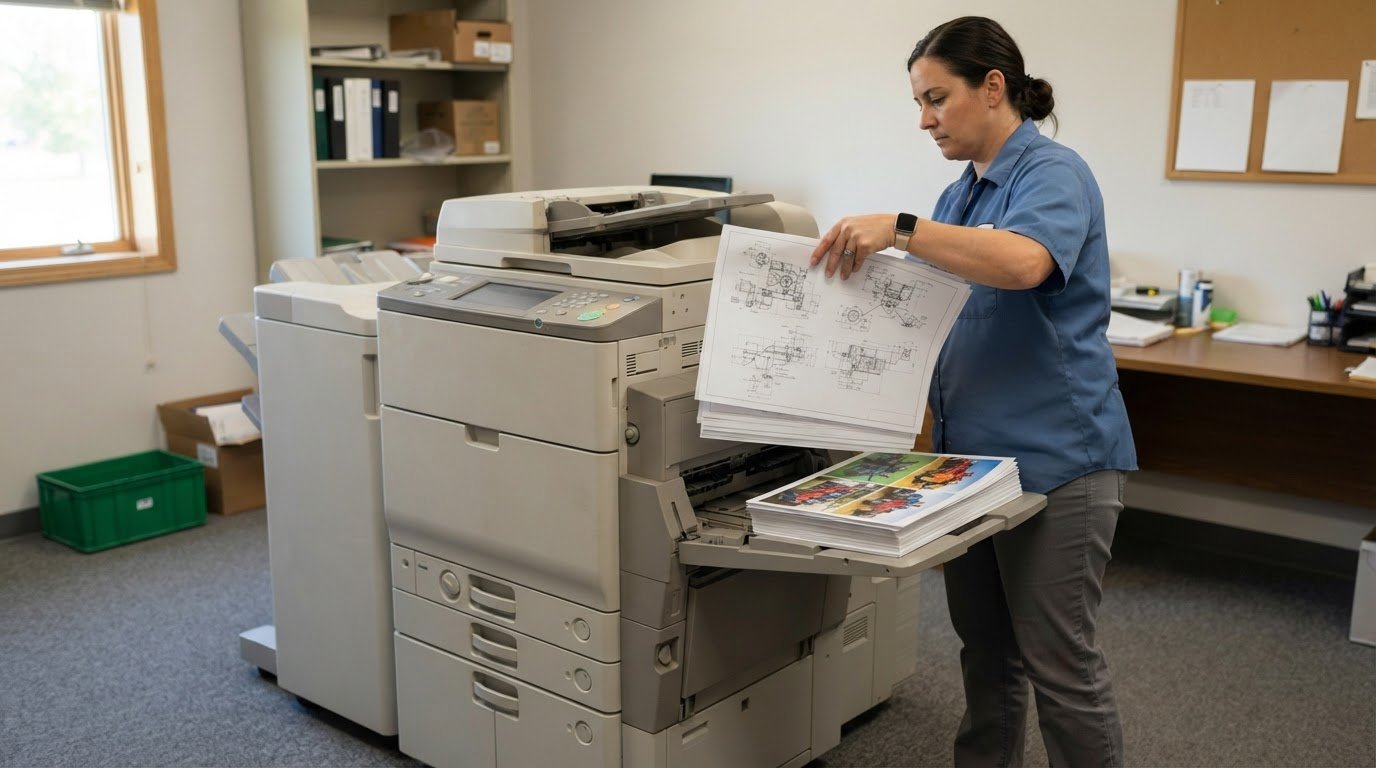
The brand name isn’t the deciding factor. A Ricoh vs. Canon office copier lease comparison should start with your print volume, document mix, output needs, and access to local service and supplies. Choose the specific machine and lease that fit the work your office produces, not the logo alone.
It’s easy to focus on monthly payments or advertised speed, but those details don’t show whether a copier can handle your daily workload or the documents your team prints. Match the machine to the work, then weigh the support behind it.
This guide walks through the decision, from estimating print needs and comparing color, black-and-white, and larger-format output to assessing service, supply access, and workload. Use these criteria to compare Ricoh and Canon options and identify which lease better fits your business.
Key Takeaways
- Compare service coverage and access to supplies alongside the lease terms; reliable support can matter more in daily use than small specification differences.
- Match the copier’s paper handling and capacity to the documents your team actually produces, including larger-format jobs.
- Decide whether color is essential for your routine work, then consider how graphics and page coverage affect toner use.
- Compare specific models, not brand names alone, and weigh speed, trays, accessories, and support against your office’s workload.
Local service coverage and supply availability
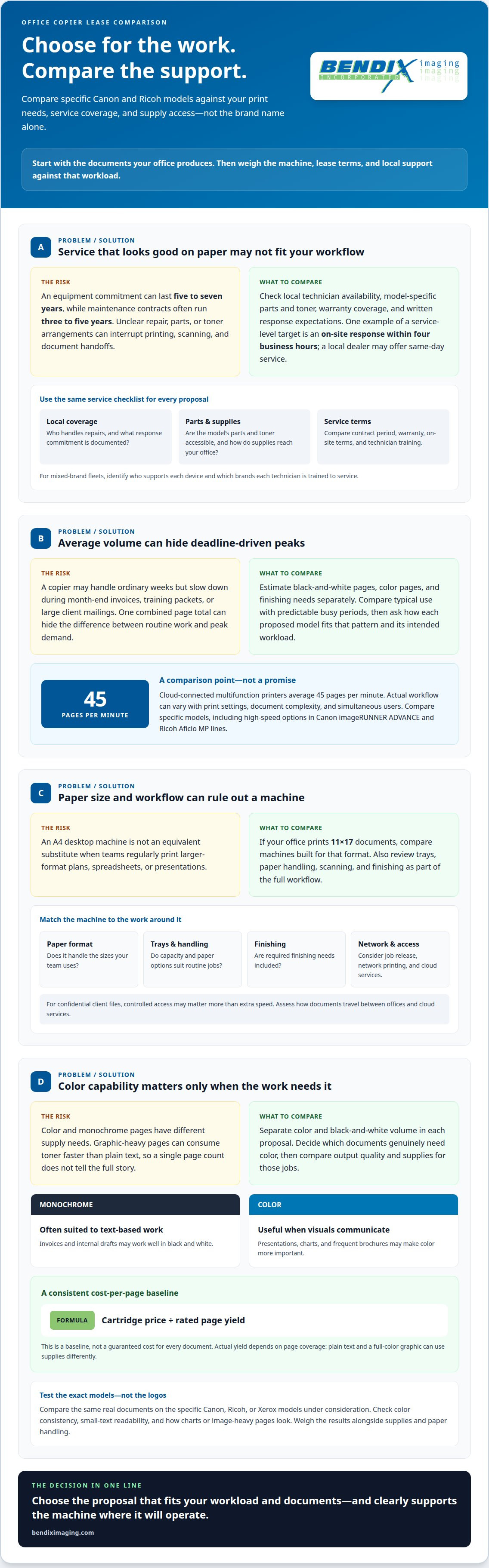
Compare service where the copier will operate, not just the brand on the proposal. A five-to-seven-year service and supply commitment can shape daily workflow long after installation. Maintenance contracts often run for three to five years, so compare their coverage with the equipment commitment. Identify who handles repairs, which parts and toner are available, and how supplies reach your office. Delays can interrupt printing, scanning, and document handoffs across the network.
Put response expectations in writing. A local dealer may offer same-day service, while a service-level agreement can specify an on-site response target, such as four business hours. Compare response time, technician availability, and warranty coverage in each Canon and Ricoh proposal. For a mixed Xerox and Ricoh fleet, establish which brand the servicing technician is trained to support. This matters when one technician looks after several devices and workflows.
Use the same service criteria for every option. If Konica Minolta is on your shortlist, assess its actual proposal rather than assuming brand-level differences. Focus on the service process, parts access, and how the copier’s imaging workflow integrates with network printing and document routing.
| Option | Local coverage | Parts and supplies | Service terms |
|---|---|---|---|
| Canon proposal | Record local technician availability and response commitment | Confirm access to model-specific parts and toner | Compare contract period, warranty, and on-site terms |
| Ricoh proposal | Record local technician availability and response commitment | Confirm access to model-specific parts and toner | Compare contract period, warranty, and on-site terms |
| Mixed-brand fleet | Identify who supports each device and brand | Map supply access for every model | Clarify technician training and separate coverage |
Choose the proposal that documents reliable local coverage, accessible supplies, and response terms suited to your office’s workflow.
Choosing a copier based on print volume and document mix
Start with actual monthly volume, then separate routine work from deadline-driven peaks. A copier that handles ordinary weeks may slow down during month-end invoices, training packets, or large client mailings. Estimate black-and-white pages, color pages, and finishing needs separately. This gives you a clearer picture than one combined page total.
Next, match speed and machine class to those demands. Canon’s imageRUNNER ADVANCE and Ricoh’s Aficio MP lines include high-speed options for heavy workloads, but the specific model matters. Cloud-connected multifunction printers average 45 pages per minute. Treat that figure as a comparison point, not a guarantee for every device or job. Print settings, document complexity, and simultaneous users affect actual workflow.
Paper size can change the decision. If teams regularly print 11x17 plans, spreadsheets, or presentations, compare machines built for that format. An A4 desktop machine is not an equivalent substitute. Include trays, paper handling, scanning, and finishing in the comparison, since each can affect how smoothly documents move through the office.
Monthly volume should fit the copier’s intended workload and duty cycle. Compare typical usage with busy periods instead of relying on average volume alone. Regularly approaching a machine’s operating limits can increase wear and disrupt work. Ask how each proposed model fits your normal pattern and predictable peaks.
Finally, assess security and cloud-printing needs alongside output. Consider who can release jobs, whether staff print from networked devices, and how documents travel between offices and cloud services. For example, a team handling confidential client files may prioritize controlled access over extra speed. A secure print workflow can help align copier use with broader network safeguards.
Choosing color or black-and-white output
Choose output based on what your office prints, not the brand label. Separate routine monochrome pages from color jobs, then compare supplies and print quality for the documents that matter.
Invoices and internal drafts, for example, may work well in black and white, while client presentations or charts may need color to communicate clearly. Color printing uses multiple toner supplies, and graphic-heavy pages consume toner faster than plain text. Include scanning in your workflow assessment, but keep scanning needs distinct from print-output comparisons.
Color and Monochrome Cost per Page
Compare color and monochrome cost per page using the same calculation: cartridge price divided by its rated page yield. This is a baseline, not a guaranteed cost for every document, because actual yield depends on page coverage. A text page and a full-color graphic can use supplies differently, even on the same machine.
For a fair comparison, separate color and black-and-white volume in each proposal. Consider which documents truly need color, and how supply availability and coverage affect routine printing. A mostly text-based office may prioritize monochrome output, while frequent brochures or charts make color capability more important.
Canon and Ricoh Color Output
Canon, Ricoh, and Xerox all offer office equipment, but a brand name alone doesn’t show which model will produce the best results for your documents. Compare sample output from the specific machines you’re considering. Check color consistency, small-text readability, and the appearance of charts or image-heavy pages.
Judge Canon color and image quality against the same document printed on a Ricoh or Xerox model. Match test pages to real work, such as a presentation slide and a detailed spreadsheet. Then weigh output quality alongside supplies, paper handling, and other required functions.
Before choosing, identify which pages need color and compare each model’s output and supply use for those jobs. This grounds the decision in actual printing needs rather than assumed brand advantages.
Brand recommendations by office size and workload
Ricoh and Canon both offer high-speed choices and A3-capable multifunction copiers. Print speed, image quality, and reliability depend on the specific model, its condition, and its support. A Ricoh vs Canon office copier lease comparison should weigh complete configurations rather than assume one brand leads every category.
For a smaller office with routine documents, prioritize a model that handles its usual workload without unnecessary complexity. A larger team with shared production jobs may need higher speed, more paper trays, and suitable accessories. Canon’s imageRUNNER ADVANCE and Ricoh’s Aficio MP lines include high-speed options, but the right fit depends on the specific configuration.
Keeping your existing brand can preserve familiar workflows and print settings, but familiarity alone isn’t a reason to renew. If the current machine struggles with marketing materials or multifunction tasks, compare alternatives against those gaps. A Ricoh vs Canon office copier lease comparison can frame the decision around your requirements, not brand loyalty.
| Brand or option | Known comparison point | Workload decision |
|---|---|---|
| Canon | imageRUNNER ADVANCE includes high-speed options | Assess the proposed model, paper handling, and output needs |
| Ricoh | Aficio MP includes high-speed options | Compare its configuration against daily and peak jobs |
| Xerox | Alternative office equipment brand | Match model features and support to the same workload |
| HP | Alternative office equipment brand | Compare specific functions and office requirements |
Use the same criteria across proposals: speed, sample image quality, trays, accessories, condition, and support. Both Ricoh and Canon offer A3-capable multifunction copiers; paper handling and available accessories can distinguish individual models. Include document management and software integration if jobs move between teams or systems.
Need help matching a copier to your office’s workload? Review your managed print needs and plan around the devices and output your team relies on.
Both brands offer high-speed models, so compare specific configurations with your normal and peak workloads. Image quality and reliability also depend on the model, its condition, and its support. Review sample output and support arrangements rather than assuming one brand is better.
BENDIX imaging
BENDIX imaging helps businesses connect copier decisions with broader print and technology needs. Once you’ve narrowed the choice by workload, output, and support, Managed Print can help align print operations with your office’s workflow. Managed IT Services and Network Security can also support how copiers fit into your network and how connected devices are managed.
Turn to BENDIX imaging when your copier decision raises wider questions about print processes, connected equipment, or protecting business systems. The goal is to find a solution that fits your real workflow, not to push a particular brand.
Contact BENDIX imaging to discuss your office’s copier and print needs.
Make your next copier decision part of a stronger office plan
A copier lease shapes more than the equipment in your workroom. It also affects how staff access documents, how printing fits into daily operations, and how connected devices support your business as needs change. Treat the decision as part of your broader technology plan, so the equipment and systems around it work together.
A careful Ricoh-versus-Canon office copier lease comparison gives you a practical basis for that conversation. BENDIX imaging also offers Artificial Intelligence (AI) Consulting, Cyber Security, and Managed IT Services to support broader business technology needs beyond the copier decision.
Bring your office’s priorities into focus and discuss a path that fits your operation. Contact BENDIX imaging to discuss your options. A clear next step can help you move forward with confidence.
Frequently Asked Questions
How do you decide which brand to buy, step by step?
Start by documenting monthly print volume and the types of jobs your office produces. List essential paper sizes, color requirements, finishing, and scanning needs. Then compare specific Ricoh and Canon models, sample output, lease terms, and service coverage. For example, an office in Sioux Falls producing client proposals may prioritize color consistency and paper handling differently from one printing mostly internal forms.
How much does a business copier cost?
A business copier’s purchase cost depends on the model, configuration, paper handling, finishing options, and expected workload. Leasing spreads the expense across scheduled payments, with the amount influenced by the equipment and agreement terms. A basic document setup and a multifunction machine configured for varied office jobs are different purchases. Compare equipment and included services together, not just the machine’s headline price.
What are typical monthly lease prices for Ricoh vs Canon office copiers in the United States?
There isn’t one dependable monthly lease price for either brand. Payments depend on the selected model, configuration, agreement length, and what service or supplies the arrangement includes. Copier leases commonly have terms of 60 months, but the term alone doesn’t establish the payment. Compare proposals for equivalent equipment and coverage so differences reflect the actual offers rather than brand labels.
What factors determine office copier lease pricing, including volume, features, and lease term?
Lease pricing reflects the copier model, print workload, color capability, paper handling, finishing features, and agreement term. Included maintenance and supplies can also affect the total commitment. A team producing occasional forms has different needs from one handling frequent, complex jobs. Compare the same equipment class and usage assumptions across proposals, then review how payments and service components are structured.
What are the typical per-page costs for black-and-white and color printing on Ricoh vs Canon copiers?
Per-page charges vary by model, supplies, contract terms, and toner use, so there isn’t one standard Ricoh or Canon rate. Color pages with large graphics can consume supplies differently from text-heavy monochrome pages. Compare black-and-white and color charges separately, using realistic examples such as a plain invoice and a full-color marketing sheet.
How do Ricoh and Canon compare on service response times and maintenance coverage?
Compare each proposal’s local technician availability, response commitment, parts and toner access, and warranty coverage. A local dealer may offer same-day service, while an agreement may specify an on-site target such as four business hours. Maintenance contracts often run three to five years, compared with a five-to-seven-year service and supply commitment.
{"@context":"https://schema.org","@type":"FAQPage","mainEntity":[{"@type":"Question","name":"How do you decide which brand to buy, step by step?","acceptedAnswer":{"@type":"Answer","text":"Start by documenting monthly print volume and the types of jobs your office produces. List essential paper sizes, color requirements, finishing, and scanning needs. Then compare specific Ricoh and Canon models, sample output, lease terms, and service coverage. For example, an office in Sioux Falls producing client proposals may prioritize color consistency and paper handling differently from one printing mostly internal forms."}},{"@type":"Question","name":"How much does a business copier cost?","acceptedAnswer":{"@type":"Answer","text":"A business copier’s purchase cost depends on the model, configuration, paper handling, finishing options, and expected workload. Leasing spreads the expense across scheduled payments, with the amount influenced by the equipment and agreement terms. A basic document setup and a multifunction machine configured for varied office jobs are different purchases. Compare equipment and included services together, not just the machine’s headline price."}},{"@type":"Question","name":"What are typical monthly lease prices for Ricoh vs Canon office copiers in the United States?","acceptedAnswer":{"@type":"Answer","text":"There isn’t one dependable monthly lease price for either brand. Payments depend on the selected model, configuration, agreement length, and what service or supplies the arrangement includes. Copier leases commonly have terms of 60 months, but the term alone doesn’t establish the payment. Compare proposals for equivalent equipment and coverage so differences reflect the actual offers rather than brand labels."}},{"@type":"Question","name":"What factors determine office copier lease pricing, including volume, features, and lease term?","acceptedAnswer":{"@type":"Answer","text":"Lease pricing reflects the copier model, print workload, color capability, paper handling, finishing features, and agreement term. Included maintenance and supplies can also affect the total commitment. A team producing occasional forms has different needs from one handling frequent, complex jobs. Compare the same equipment class and usage assumptions across proposals, then review how payments and service components are structured."}},{"@type":"Question","name":"What are the typical per-page costs for black-and-white and color printing on Ricoh vs Canon copiers?","acceptedAnswer":{"@type":"Answer","text":"Per-page charges vary by model, supplies, contract terms, and toner use, so there isn’t one standard Ricoh or Canon rate. Color pages with large graphics can consume supplies differently from text-heavy monochrome pages. Compare black-and-white and color charges separately, using realistic examples such as a plain invoice and a full-color marketing sheet."}},{"@type":"Question","name":"How do Ricoh and Canon compare on service response times and maintenance coverage?","acceptedAnswer":{"@type":"Answer","text":"Compare each proposal’s local technician availability, response commitment, parts and toner access, and warranty coverage. A local dealer may offer same-day service, while an agreement may specify an on-site target such as four business hours. Maintenance contracts often run three to five years, compared with a five-to-seven-year service and supply commitment."}}]}


