
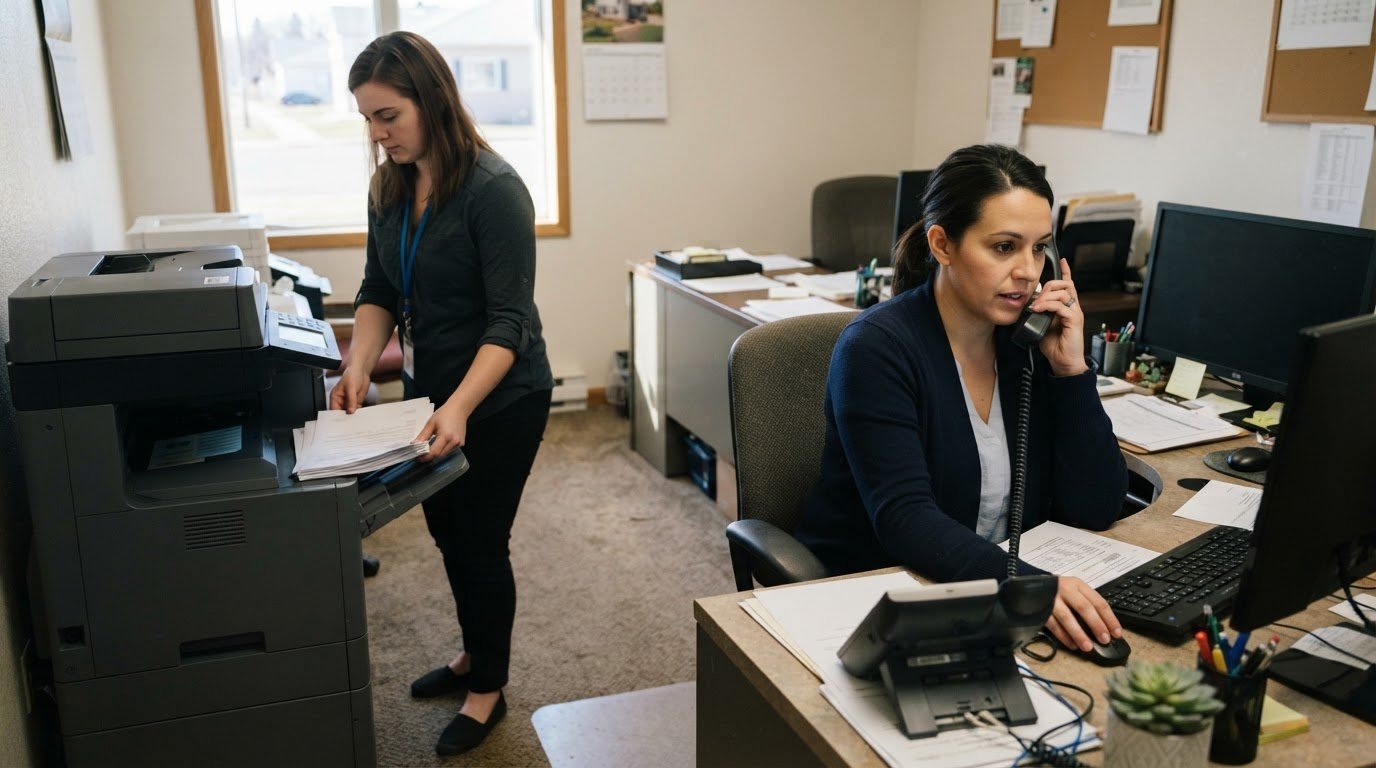
Print costs and document security can slip through the cracks when phones, IT, and printers are managed separately. A single provider for IT, phones, and printers in Watertown can bring these needs into one coordinated conversation and give you a clearer view of print management.
Reliable printing and copying matter, but so do control over supplies, unnecessary pages, and access to sensitive documents. This guide explains how Watertown printing and copying services can include print management, help track usage and reduce waste, and support more secure document handling.
You’ll also learn how IT support and VoIP phone systems fit alongside printing, what to consider when choosing a provider, and how BENDIX imaging’s Managed IT Services, VoIP Systems, and Managed Print support businesses in Watertown. The goal is practical: help you identify the right service scope and a useful next step.
Key Takeaways
- Map IT, VoIP, and printing needs together to see whether one coordinated service scope fits your business.
- Understand which support and emergency-service terms matter before relying on a provider for critical systems.
- Compare phone and printer compatibility alongside contract details and customer support, not just equipment options.
- Explore how managed print can help bring print usage, costs, and sensitive-document handling into clearer focus.
What IT, VoIP phone, and printer services does each provider include?
Service bundles differ, so define the work before comparing options. Managed IT may cover support, network oversight, cybersecurity, and data backup. Established providers such as Telx Computers demonstrate how comprehensive technology solutions coordinate user accounts, device setup, software issues, and recovery planning under a unified framework. For example, onboarding an employee may involve configuring a computer, assigning access, and enabling printing. A clear scope shows whether these tasks are coordinated or handled separately.
VoIP Systems support business calling over an internet connection. The service scope may include system setup, user changes, call routing, and troubleshooting. Clarify which functions are managed and how users report phone issues. Coordinating phones and IT lets a provider consider network and calling needs together, rather than treating call quality as an isolated equipment problem. BENDIX imaging provides VoIP Systems alongside Managed IT Services and Managed Print, bringing these service areas together for businesses in Watertown.
Printer services can range from equipment support to managed print. Managed print may include oversight of devices, supply needs, usage, and print-related costs. Ask how service handles common jobs such as copying, scanning, color printing, and recurring supply needs. For sensitive paperwork, discuss access controls and secure handling from the computer to the output tray. A print job handled by the store has a stated goal of completion no later than 72 hours from the time the project starts.
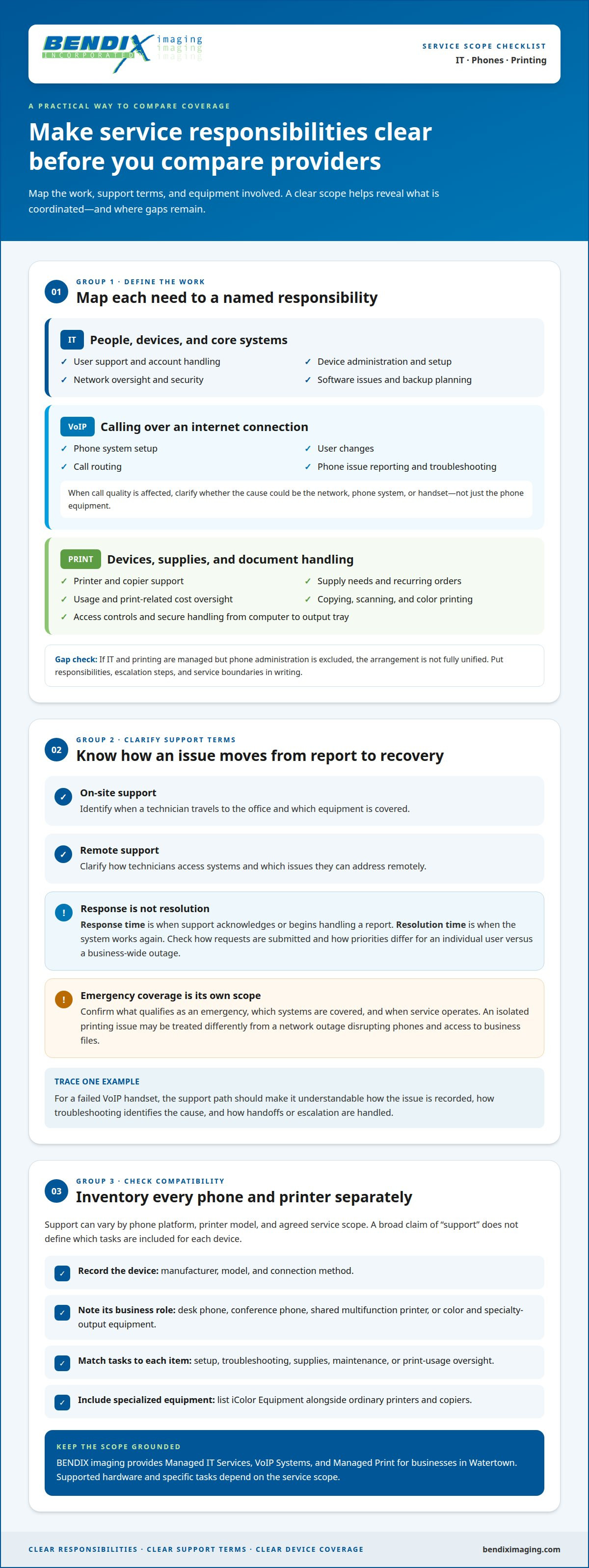
To compare service coverage, map each need to a named responsibility:
- IT: user support, device administration, network security, and backup planning.
- VoIP: phone setup, user changes, call routing, and issue handling.
- Printing: device support, supplies, usage oversight, copying, and document safeguards.
Then identify overlaps and gaps. If IT and printing are managed but phone administration is excluded, the arrangement is not fully unified. Put responsibilities, escalation steps, and service boundaries in writing. Choosing a single provider for IT, phones, and printers in Watertown makes the scope easier to assess without assuming every service includes the same tasks.
Do Watertown providers offer on-site support, response-time guarantees, and emergency service?
Support methods depend on the issue and service scope. A printer jam may require attention at the device, while a locked user account could be resolved remotely. Phone problems can also stem from a network issue rather than a handset fault, though direct hardware failures or physical damage may require assistance from specialized technicians like My Cellphone Repairs. The appropriate approach depends on the cause, equipment access, and whether someone needs to work directly with the device.
Distinguish response time from resolution time. Response time describes when support acknowledges or begins handling a report; resolution time describes when the system works again. A written agreement should explain how requests are submitted and whether priorities differ for an individual user or a business-wide outage. These details matter when a phone system or shared printer affects multiple teams.
Emergency response is a separate service scope, not an automatic part of ordinary support. Terms should explain what qualifies as an emergency, which systems are covered, and when service operates. An isolated printing issue, for example, may differ from a network outage that disrupts phones and access to business files. Clear definitions help prevent assumptions about urgent coverage.
- On-site support: identifies when a technician travels to the office and which equipment is covered.
- Remote support: explains how technicians access systems and what issues they can address remotely.
- Response commitment: states when a report receives attention and how priority is assigned.
- Emergency coverage: defines qualifying incidents, operating hours, and supported systems.
For a practical comparison, trace one example from report to recovery. A staff member reports a failed VoIP handset, support records the issue, and troubleshooting determines whether the cause is the handset, network, or phone system. The agreement should make each handoff and escalation path understandable. For broader coverage, explore managed IT support as part of a coordinated service plan.
Which business phone systems and printer brands do local providers support?
Support depends on the phone platform, printer model, and agreed scope. A provider’s ability to manage VoIP Systems does not mean every phone system receives identical support. Printer support can also differ for a shared copier, a desktop printer, or specialized color equipment. Treat each device and system as a separate compatibility item.
Start with an inventory of each device’s manufacturer, model, connection method, and business role. Include desk phones, conference phones, multifunction printers, and equipment used for color or specialty output. Match each item to a specific task, such as setup, troubleshooting, supplies, or print management. This turns a broad claim of “support” into a practical service map.
For example, a business may use VoIP desk phones for calls, a conference phone for meetings, and networked printers for shared documents. If calls drop while printing slows, the support team needs to determine whether the issues share a network cause. BENDIX imaging provides VoIP Systems and Managed Print, while supported hardware and tasks depend on the service scope.
For printing, distinguish standard office devices from specialized equipment. Include iColor Equipment in the inventory alongside ordinary printers and copiers. Record which devices need supply management, maintenance, or print-usage oversight. This helps clarify the scope instead of assuming that every model is covered by print services.
Before consolidating service, organize the details in a compatibility matrix:
- Phone system: platform, handset models, calling features, and support tasks.
- Printers: manufacturer, model, connection, and shared or individual use.
- Specialty devices: equipment such as iColor systems and their print requirements.
- Service boundaries: who handles setup, troubleshooting, supplies, and escalation.
An inventory helps you compare coverage without relying on brand names alone. A single service arrangement is useful when its documented scope matches the phones and printers your teams actually use.
Support depends on the system and agreed scope. BENDIX imaging provides VoIP Systems and Managed Print, including specialized iColor equipment. Match each phone and printer model to the support tasks your business needs.
How do local providers compare on reviews, experience, contracts, and customer support
When reading reviews, look for specific service examples, not just star ratings. A description of how a provider handled a printer outage offers more insight than general praise. Look for recurring details about communication, follow-through, and issue resolution. One review is an anecdote; repeated themes across customer experiences offer a more useful comparison.
Relevant experience matters when it matches your setup. A provider working with VoIP phones, shared printers, and office networks can consider how one issue may affect another. Look for examples involving businesses with comparable needs, such as teams sharing print devices. Ask how systems are documented and how support stays consistent when equipment or staff changes.
Read the agreement before weighing its length. Identify the devices and services covered, how requests are submitted, and what support hours apply. Review renewal, cancellation, supply, and equipment terms. A phone service agreement, for example, may cover the calling platform but not printer support. Clear boundaries help you identify separate agreements or gaps before they cause confusion.
Customer support needs a clear route from initial report to follow-up. Find out how users submit issues, receive status updates, and learn when work is complete. A shared printer problem should have an identified contact and a clear escalation path if the first response does not resolve it. Compare the actual process, not just a promise of attentive service.
- Reviews: Note recurring examples about communication and issue resolution.
- Experience: Match relevant case examples to your phones, printers, and network.
- Contracts: Map covered services, exclusions, renewal, and cancellation terms.
- Support: Trace reporting, updates, escalation, and closure for a sample issue.
Use these points to assess whether your support arrangement is clear and accountable. Discuss your managed IT support needs as you consider the right service scope.
BENDIX imaging: Managed Print
BENDIX imaging provides Managed Print for businesses that want clearer oversight of print use and document handling. Consider it when supplies, device support, and print-related costs feel fragmented, or when your business wants a more deliberate approach to handling documents.
Managed Print can bring print needs into a defined service scope, helping businesses understand device use and identify opportunities to reduce waste. Pairing print oversight with Managed IT Services can also help connect printing needs with the broader technology environment. For document protection concerns, Cyber Security can address the security side of business technology.
If your business in Watertown is reviewing print management or related IT needs, contact BENDIX imaging to discuss Managed Print and Managed IT Services.
Set a clear direction for your technology
Choosing a single provider for IT, phones, and printers in Watertown can bring technology decisions into one business plan. Start by identifying what your teams need to protect, where work slows down, and which systems should support future growth. This gives your service discussion a practical focus instead of turning it into a list of devices.
BENDIX imaging supports businesses through Managed IT Services, Network Security, and Artificial Intelligence (AI) Consulting. Consider these services when technology responsibilities overlap, security needs attention, or you’re exploring how AI might fit your operations. A focused discussion about your priorities can help define an appropriate support scope.
Contact BENDIX imaging to discuss your business needs and plan a more coordinated path forward. Start with the challenge that matters most, and build from there.
Frequently Asked Questions
Which Watertown businesses provide IT support, phone systems, and printer services from one provider?
BENDIX imaging provides Managed IT Services, VoIP Systems, and Managed Print in Watertown, with a local service area that also includes Brookings, Sioux Falls, Huron, and Montevideo. If your business wants one provider, start by mapping its current systems and needs to these service areas. That makes it easier to assess whether a coordinated arrangement fits.
Which local providers offer managed IT, business phone, and printer services together?
BENDIX imaging brings Managed IT Services, VoIP Systems, and Managed Print together for businesses in its local area. A small to medium sized business in Watertown, Brookings, Sioux Falls, Huron, or Montevideo can consider this combination to align technology support with business calling and printing. The service scope should reflect the business’s systems and priorities.
Are printer leasing, managed print, toner, and repair included in provider plans?
Do not assume leasing, toner, and repairs are automatically bundled with Managed Print. BENDIX imaging provides Managed Print and Printing Supplies. A business replacing toner for shared office printers, for example, should distinguish supply needs from its wider print-management arrangement. Define which devices and print-related tasks the plan covers so responsibilities remain clear.
What should a business check before switching to one provider for IT, phones, and printers in Watertown?
Before switching, prepare a handover record with system access, device details, service contacts, and current agreements. Include VoIP accounts, printer configurations, supply arrangements, and IT administration responsibilities. For a business in Watertown, plan the transition around essential workflows, such as customer calls and shared document printing. Assign each transition task and explain how staff should report issues during the handover.
{"@context":"https://schema.org","@type":"FAQPage","mainEntity":[{"@type":"Question","name":"Which Watertown businesses provide IT support, phone systems, and printer services from one provider?","acceptedAnswer":{"@type":"Answer","text":"BENDIX imaging provides Managed IT Services, VoIP Systems, and Managed Print in Watertown, with a local service area that also includes Brookings, Sioux Falls, Huron, and Montevideo. If your business wants one provider, start by mapping its current systems and needs to these service areas. That makes it easier to assess whether a coordinated arrangement fits."}},{"@type":"Question","name":"Which local providers offer managed IT, business phone, and printer services together?","acceptedAnswer":{"@type":"Answer","text":"BENDIX imaging brings Managed IT Services, VoIP Systems, and Managed Print together for businesses in its local area. A small to medium sized business in Watertown, Brookings, Sioux Falls, Huron, or Montevideo can consider this combination to align technology support with business calling and printing. The service scope should reflect the business’s systems and priorities."}},{"@type":"Question","name":"Are printer leasing, managed print, toner, and repair included in provider plans?","acceptedAnswer":{"@type":"Answer","text":"Do not assume leasing, toner, and repairs are automatically bundled with Managed Print. BENDIX imaging provides Managed Print and Printing Supplies. A business replacing toner for shared office printers, for example, should distinguish supply needs from its wider print-management arrangement. Define which devices and print-related tasks the plan covers so responsibilities remain clear."}},{"@type":"Question","name":"What should a business check before switching to one provider for IT, phones, and printers in Watertown?","acceptedAnswer":{"@type":"Answer","text":"Before switching, prepare a handover record with system access, device details, service contacts, and current agreements. Include VoIP accounts, printer configurations, supply arrangements, and IT administration responsibilities. For a business in Watertown, plan the transition around essential workflows, such as customer calls and shared document printing. Assign each transition task and explain how staff should report issues during the handover."}}]}


