
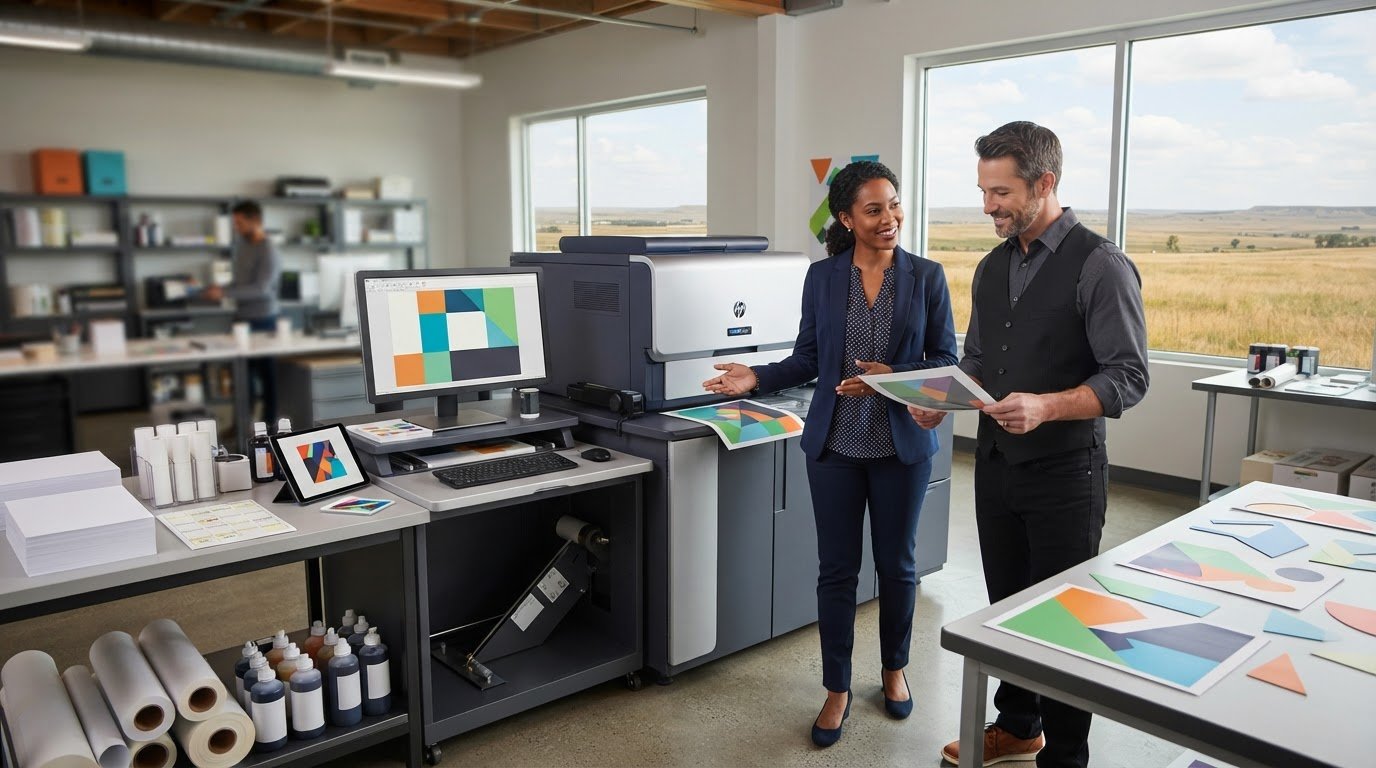
Choosing an iColor printer is only one part of deciding whether iColor printing fits your business. The equipment matters, but so do the print jobs it needs to handle, the steps from design to finished output, and the supplies needed to keep work moving.
If you’re unsure what “iColor printing” means or how to compare equipment beyond model names, start with the work you need to produce. A printer purchase alone doesn’t show whether the workflow suits your business or how day-to-day printing will be supported. This guide explains the basics, shows how to assess equipment against your actual needs, and covers the role of supplies and managed print support.
You’ll learn how to map the production workflow, identify the business tasks to evaluate, and compare factors such as output, volume, and operating needs. BENDIX imaging provides iColor equipment, printing supplies, and managed print solutions for businesses across Eastern South Dakota, including Watertown, Brookings, Sioux Falls, Huron, and Montevideo. Use the steps below to assess how printing will work in your business, not just which machine is on your shortlist.
Key Takeaways
- Understand why icolor printing describes a branded category of equipment, not one universal printer or finished output.
- Follow the general workflow from preparing artwork through printing, finishing, and reviewing the result.
- Compare transfer and label printing as distinct workflows, then match equipment to the output, materials, volume, and supplies your work requires.
- Use a practical operations checklist to weigh demand, workflow ownership, supply needs, and workspace before investing in equipment.
- See how BENDIX imaging’s iColor equipment, printing supplies, and managed print solutions support businesses in Watertown, Brookings, Sioux Falls, Huron, and Montevideo.
What Is iColor Printing, and What Can a Business Use It For?
iColor printing is a branded category of professional digital printing equipment made by UniNet, with equipment designed for different workflows, including transfer printing and label printing. The name doesn’t describe one universal machine or output. For a business, the first question isn’t simply whether a printer is “iColor.” It’s whether the equipment and supplies suit the work you need to produce.
That distinction matters because transfer and label printing involve different production needs. Equipment intended for one workflow shouldn’t be assumed to handle the other. Start with the application, output, and process, then assess equipment against those requirements.
How Does iColor Printing Differ from Standard Office Printing?
Office printers are generally used for documents such as invoices, internal forms, and reports. Specialized printing equipment supports production tasks with different outputs and processes. A transfer workflow, for example, involves preparing a design, printing it as a transfer, and applying it to a final item. Direct-to-Film (DTF) printing is one transfer method. It doesn’t mean every iColor printer uses DTF or supports the same materials.
Start with the job, not a model name. Define what you need to print, what the finished output must be, and which materials and steps the workflow requires. Those details help determine whether specialized equipment is relevant.
Which Business Printing Needs Might It Address?
Consider the production task. A business exploring custom apparel or promotional products may be evaluating a transfer-printing workflow. A business producing product or packaging labels may instead need to consider label-printing equipment. These are separate categories, not interchangeable features that every printer provides.
Before comparing options, write down the intended output and how it will move from design to finished item. Consider:
- Transfer printing: What item will receive the transfer, and what preparation and finishing steps will the job involve?
- Label printing: What kind of label output does the business need, and how will labels be used in its operations?
Then match those requirements to the equipment’s intended workflow and the supplies it uses. Don’t assume a machine can handle a particular material, output, or production demand without verifying its specifications. BENDIX imaging provides professional iColor equipment and printing supplies for businesses in Eastern South Dakota. Defining the job first helps keep the equipment decision practical and focused on your operation.
How Does an iColor Printing Workflow Work from File to Finished Output?
Treat the workflow as a planning framework, not a universal recipe. The steps and settings depend on the intended output: transfer and label jobs use different processes, materials, and finishing tasks. Before production starts, map the job from the artwork file to the item your business will use or deliver.
What Happens Before the First Print Run?
Begin by defining the output. Specify what you’re making, the intended material, the quantity, and the requirements the finished piece must meet. Prepare the artwork, then match the equipment and supplies to the process. Don’t assume one setup, supply combination, or file preparation method applies to every iColor workflow.
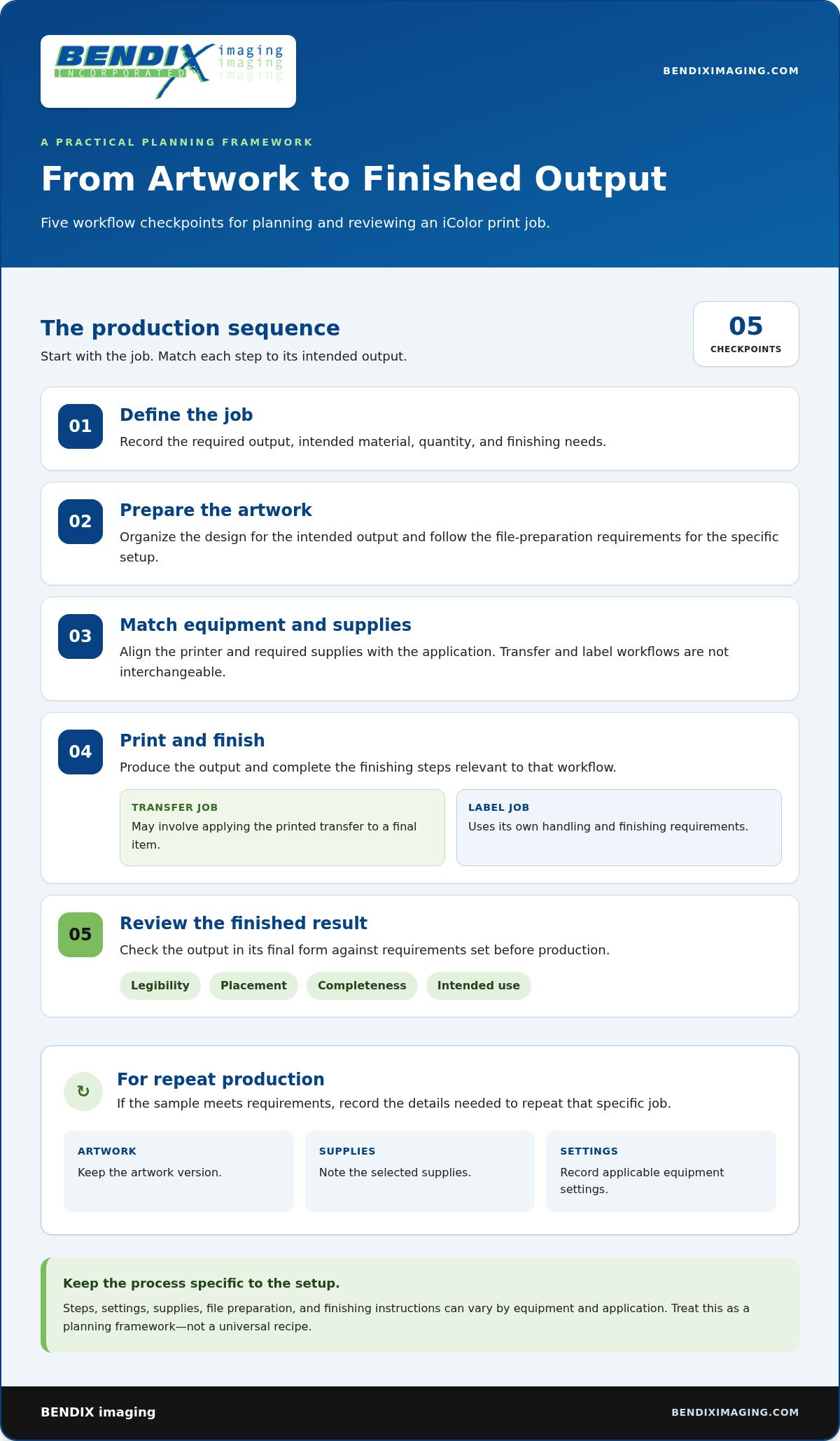
Use these steps as a practical planning sequence for icolor printing:
- Define the job. Record the required output, material, quantity, and finishing needs.
- Prepare the artwork. Organize the design for the intended output, following the file preparation requirements for the specific setup.
- Match equipment and supplies. Align the printer and required supplies with the application. Transfer and label workflows aren’t interchangeable.
- Print and finish. Produce the output, then complete the relevant finishing steps. A transfer job may involve applying the printed transfer; a label job follows its own handling and finishing requirements.
- Review the result. Check the finished output against your business requirements before starting repeat production.
How Should a Business Review Output and Repeatability?
Set acceptance criteria before judging a sample. Depending on the job, criteria might include legibility, placement, completeness, or whether the finished item meets its intended use. Review the output in its final form, not only as it looks immediately after printing.
If the sample meets your requirements, record the details needed to repeat the job, such as the artwork version, selected supplies, and applicable equipment settings. Keep the notes specific to that workflow. This gives staff a useful reference without assuming every job uses identical settings.
Software, consumables, file preparation, and finishing instructions can vary by equipment and application. Follow guidance for the selected setup instead of relying on assumptions based on a different printer or process. BENDIX imaging offers iColor equipment and printing supplies alongside managed print solutions for businesses aligning equipment and supplies with their production workflow.
How to Compare iColor Printing Options for Your Business
Let application fit guide equipment selection. Start with the job, then compare equipment against the required output, materials, volume, and operating process. The broad label “iColor” doesn’t establish whether a particular setup matches your work.
Which Requirements Should Shape an Equipment Comparison?
List what the business needs to produce, how often, and in what quantities. Include the intended material, finishing steps, available workspace, and who will prepare files and run the process. Use equipment documentation to validate specifications, compatible supplies, and application requirements. Separate verified facts from assumptions, especially when comparing workflows with different purposes.
| Comparison factor | Transfer-printing workflow | Label-printing workflow |
|---|---|---|
| Application | Consider when the business needs to make transfer-based output for a separate item or surface. | Consider when the business needs printed labels for products or operational use. |
| Output | Define the required design and the finished item it will be applied to. | Define the label’s intended use, information, and finished format. |
| Materials | Identify the intended transfer material and final application surface; validate suitability for the equipment. | Identify the intended label material and format; validate supported options in the equipment documentation. |
| Print volume | Estimate typical job quantities and how frequently orders recur. | Estimate label quantities and how often designs or requirements change. |
| Workflow | Account for artwork preparation, printing, and the required transfer and finishing steps. | Account for artwork preparation, printing, and any handling or finishing needed for the labels. |
| Supplies and support | Plan for the supplies required by the chosen transfer process and how the business will replenish them. | Plan for the supplies required by the label process and how replenishment fits into operations. |
Is iColor Printing Only for Apparel or Specialty Products?
No. Transfer printing is one category, while label printing is another. That means businesses can evaluate different applications, but it doesn’t mean every device can produce every kind of output. The intended application, verified equipment specifications, and required workflow determine suitability. Compare those factors directly rather than choosing based on a broad equipment label.
Include supplies and day-to-day operations in the comparison. BENDIX imaging provides professional iColor equipment and printing supplies, along with managed print solutions for businesses in Eastern South Dakota. Consider how these offerings fit your planned workflow and which supplies it requires.
How to Decide Whether iColor Printing Fits Your Operations
Specialized equipment can add steps as well as capability. Before deciding whether icolor printing fits, consider the work beyond the initial job: whether your team can manage the workflow, keep the required supplies available, and make room for the equipment and materials. Occasional demand may call for a different approach than recurring production, but there’s no universal job count that determines the answer. Fit depends on your output needs and how consistently you expect to produce it.
What Should You Document Before Choosing Equipment?
Build a clear picture of the work before comparing equipment. Record recurring tasks and expected workflow steps. Separate established needs from technical details that need to be checked against equipment documentation.
- Demand: Note what you print, how often jobs occur, and the quantities involved. Distinguish one-off requests from work your business expects to repeat.
- Output and materials: Describe the finished item and intended materials. Validate that the selected process and equipment suit those requirements.
- Workflow ownership: Identify who prepares artwork, operates the equipment, reviews output, and handles finishing. Account for any training the team will need.
- Supplies and storage: List the supplies the process requires, where they’ll be stored, and who will monitor replenishment.
- Space and upkeep: Consider where the equipment will go, the workspace needed for materials and finishing, and who will oversee routine maintenance.
If the job is infrequent, weigh the effort of maintaining a dedicated workflow against the value of producing it in-house. If the work recurs, consider whether documented steps and clear staff responsibilities can make production manageable. In either case, equipment alone doesn’t resolve the operational details.
How Do Equipment and Managed Print Support Fit Together?
Equipment is only one part of print operations. Supplies, recurring print needs, and responsibility for keeping work organized also affect how a process runs over time. For more context, read this managed print solutions business guide. If your business is reviewing print operations beyond one specialized workflow, managed print solutions can be part of that planning.
Bring your documented tasks, output requirements, and supply considerations into the equipment decision. BENDIX imaging provides iColor equipment, printing supplies, and managed print solutions for Eastern South Dakota businesses. Explore BENDIX imaging’s business print solutions.
Where to Get iColor Equipment and Printing Support in Eastern South Dakota
Choosing equipment is only one part of adding a specialized print workflow to a business. Plan for the supplies it uses and how the work fits alongside your other printing needs. BENDIX imaging provides professional iColor equipment and printing supplies, as well as managed print solutions for businesses across Eastern South Dakota.
That local business focus is useful when connecting a specific production need to day-to-day print operations. Businesses in Watertown, Brookings, Sioux Falls, Huron, and Montevideo can assess iColor printing requirements alongside the supplies and wider print processes their teams rely on.
How Can Local Businesses Connect Equipment with Print Operations?
Include equipment, supplies, and ongoing print needs in one operating plan. A business might have a specialized workflow for certain production jobs while also managing routine printing across departments. Separating those needs helps clarify which equipment and supplies belong to the specialized process and how it fits into the wider operation.
Managed print solutions provide a broader context for organizing business printing and can be relevant when reviewing print operations beyond one piece of equipment. Consider the whole workflow rather than treating an equipment purchase as the complete plan. BENDIX imaging brings together iColor equipment, printing supplies, and managed print solutions for Eastern South Dakota businesses.
What Is a Practical Next Step for a Business Buyer?
Make the discussion specific. Summarize what you need to produce, the workflow involved, how frequently the work comes up, and which supplies the process requires. Note who will handle the work and how it fits with existing business printing. A concise outline keeps the discussion grounded in your needs rather than assumptions based on equipment names alone.
For businesses in Watertown, Brookings, Sioux Falls, Huron, and Montevideo, BENDIX imaging provides professional iColor equipment and printing supplies, with managed print solutions for broader print operations. Bring your requirements into the conversation to focus on options relevant to your business.
Talk with BENDIX imaging about business printing.
Build a Print Workflow That Fits Your Business
Choosing iColor printing starts with the work your business needs to produce. Transfer and label applications follow different workflows, so match equipment to the intended output, materials, supply needs, and staff responsibilities. Review a sample and document the steps your team will need to repeat.
A printer is only one part of the operation. Supplies and broader print management also shape how specialized production fits into daily business needs. BENDIX imaging provides professional iColor equipment, printing supplies, and managed print solutions for businesses across Eastern South Dakota, including Watertown, Brookings, Sioux Falls, Huron, and Montevideo.
Bring your print requirements into focus, then take the next step with a local business resource. Talk with BENDIX imaging about your business printing needs. With a clear workflow and the right support in view, you can make a more confident decision for your operation.
Frequently Asked Questions
What is iColor printing?
iColor printing refers to professional printing equipment and workflows associated with the iColor name. It doesn’t describe one single output or process. The available product categories include digital transfer and digital label printing, among others. If you’re considering icolor printing for your business, start with the output you need, then assess the equipment, supplies, materials, and workflow requirements for that application.
What can an iColor printer print?
The output depends on the specific equipment and printing process. The iColor product range includes digital transfer and digital label printer categories, but that doesn’t mean every printer supports every material or application. Define the intended output first, such as a transfer-based job or business labels. Then compare the requirements with equipment specifications and supply information before planning production.
Is iColor printing suitable for a small business?
It can be worth evaluating if your small business has recurring print needs that fit an available iColor workflow. Consider the intended output, job quantities and frequency, materials, staff time, and ongoing supplies. A specialized printer makes more sense when it addresses a defined business requirement. Map the work and responsibilities first, then compare those needs with the equipment’s documented capabilities.
How does iColor transfer printing work?
Transfer printing involves printing an image for transfer to a target material using a process suited to the equipment and supplies. The exact steps and supported materials vary by system, so don’t assume all devices use the same method. Before planning a business workflow, identify the desired output, artwork preparation needs, required consumables, and finishing steps, then compare them with the relevant product documentation.
Can iColor printing be used for labels?
Yes, the iColor product range includes a digital label printer category. It may suit a business evaluating label production, but specific materials, formats, and production capabilities depend on the equipment. Define the label output and how it will be used in your operations, then assess the equipment specifications and supplies against those needs. For businesses comparing specialized roll-fed hardware and finishing options, discover OptiMediaLabs Canada for dedicated label equipment insights.
What should a business consider before buying iColor equipment?
Start with the output, materials, job frequency, and quantities your business expects to produce. Then account for artwork preparation, finishing, staff responsibilities, workspace, and ongoing supplies. Compare these operational needs with equipment specifications rather than choosing by product name alone. Also consider how the specialized workflow will fit alongside your existing business printing and who will manage its day-to-day steps.
Where can businesses in Eastern South Dakota find iColor equipment?
BENDIX imaging provides professional iColor equipment and printing supplies, alongside managed print solutions for businesses in Eastern South Dakota. Its business communities include Watertown, Brookings, Sioux Falls, Huron, and Montevideo. To make the discussion practical, outline the output you need, the workflow involved, and the supplies required. That gives your business a clear starting point for connecting equipment choices with print operations.
{"@context":"https://schema.org","@type":"FAQPage","mainEntity":[{"@type":"Question","name":"How Does iColor Printing Differ from Standard Office Printing?","acceptedAnswer":{"@type":"Answer","text":"Office printers are generally used for documents such as invoices, internal forms, and reports. Specialized printing equipment supports production tasks with different outputs and processes. A transfer workflow, for example, involves preparing a design, printing it as a transfer, and applying it to a final item. Direct-to-Film (DTF) printing is one transfer method. It doesn’t mean every iColor printer uses DTF or supports the same materials. Start with the job, not a model name. Define what you need to print, what the finished output must be, and which materials and steps the workflow requires. Those details help determine whether specialized equipment is relevant."}},{"@type":"Question","name":"Which Business Printing Needs Might It Address?","acceptedAnswer":{"@type":"Answer","text":"Consider the production task. A business exploring custom apparel or promotional products may be evaluating a transfer-printing workflow. A business producing product or packaging labels may instead need to consider label-printing equipment. These are separate categories, not interchangeable features that every printer provides. Before comparing options, write down the intended output and how it will move from design to finished item. Consider: Then match those requirements to the equipment’s intended workflow and the supplies it uses. Don’t assume a machine can handle a particular material, output, or production demand without verifying its specifications. BENDIX imaging provides professional iColor equipment and printing supplies for businesses in Eastern South Dakota. Defining the job first helps keep the equipment decision practical and focused on your operation. Treat the workflow as a planning framework, not a universal recipe. The steps and settings depend on the intended output: transfer and label jobs use different processes, materials, and finishing tasks. Before production starts, map the job from the artwork file to the item your business will use or deliver."}},{"@type":"Question","name":"What Happens Before the First Print Run?","acceptedAnswer":{"@type":"Answer","text":"Begin by defining the output. Specify what you’re making, the intended material, the quantity, and the requirements the finished piece must meet. Prepare the artwork, then match the equipment and supplies to the process. Don’t assume one setup, supply combination, or file preparation method applies to every iColor workflow. Use these steps as a practical planning sequence for icolor printing:"}},{"@type":"Question","name":"How Should a Business Review Output and Repeatability?","acceptedAnswer":{"@type":"Answer","text":"Set acceptance criteria before judging a sample. Depending on the job, criteria might include legibility, placement, completeness, or whether the finished item meets its intended use. Review the output in its final form, not only as it looks immediately after printing. If the sample meets your requirements, record the details needed to repeat the job, such as the artwork version, selected supplies, and applicable equipment settings. Keep the notes specific to that workflow. This gives staff a useful reference without assuming every job uses identical settings. Software, consumables, file preparation, and finishing instructions can vary by equipment and application. Follow guidance for the selected setup instead of relying on assumptions based on a different printer or process. BENDIX imaging offers iColor equipment and printing supplies alongside managed print solutions for businesses aligning equipment and supplies with their production workflow. Let application fit guide equipment selection. Start with the job, then compare equipment against the required output, materials, volume, and operating process. The broad label “iColor” doesn’t establish whether a particular setup matches your work."}},{"@type":"Question","name":"Which Requirements Should Shape an Equipment Comparison?","acceptedAnswer":{"@type":"Answer","text":"List what the business needs to produce, how often, and in what quantities. Include the intended material, finishing steps, available workspace, and who will prepare files and run the process. Use equipment documentation to validate specifications, compatible supplies, and application requirements. Separate verified facts from assumptions, especially when comparing workflows with different purposes."}},{"@type":"Question","name":"Is iColor Printing Only for Apparel or Specialty Products?","acceptedAnswer":{"@type":"Answer","text":"No. Transfer printing is one category, while label printing is another. That means businesses can evaluate different applications, but it doesn’t mean every device can produce every kind of output. The intended application, verified equipment specifications, and required workflow determine suitability. Compare those factors directly rather than choosing based on a broad equipment label. Include supplies and day-to-day operations in the comparison. BENDIX imaging provides professional iColor equipment and printing supplies, along with managed print solutions for businesses in Eastern South Dakota. Consider how these offerings fit your planned workflow and which supplies it requires. Specialized equipment can add steps as well as capability. Before deciding whether icolor printing fits, consider the work beyond the initial job: whether your team can manage the workflow, keep the required supplies available, and make room for the equipment and materials. Occasional demand may call for a different approach than recurring production, but there’s no universal job count that determines the answer. Fit depends on your output needs and how consistently you expect to produce it."}},{"@type":"Question","name":"What Should You Document Before Choosing Equipment?","acceptedAnswer":{"@type":"Answer","text":"Build a clear picture of the work before comparing equipment. Record recurring tasks and expected workflow steps. Separate established needs from technical details that need to be checked against equipment documentation. If the job is infrequent, weigh the effort of maintaining a dedicated workflow against the value of producing it in-house. If the work recurs, consider whether documented steps and clear staff responsibilities can make production manageable. In either case, equipment alone doesn’t resolve the operational details."}},{"@type":"Question","name":"How Do Equipment and Managed Print Support Fit Together?","acceptedAnswer":{"@type":"Answer","text":"Equipment is only one part of print operations. Supplies, recurring print needs, and responsibility for keeping work organized also affect how a process runs over time. For more context, read this managed print solutions business guide. If your business is reviewing print operations beyond one specialized workflow, managed print solutions can be part of that planning. Bring your documented tasks, output requirements, and supply considerations into the equipment decision. BENDIX imaging provides iColor equipment, printing supplies, and managed print solutions for Eastern South Dakota businesses. Explore BENDIX imaging’s business print solutions. Choosing equipment is only one part of adding a specialized print workflow to a business. Plan for the supplies it uses and how the work fits alongside your other printing needs. BENDIX imaging provides professional iColor equipment and printing supplies, as well as managed print solutions for businesses across Eastern South Dakota. That local business focus is useful when connecting a specific production need to day-to-day print operations. Businesses in Watertown, Brookings, Sioux Falls, Huron, and Montevideo can assess iColor printing requirements alongside the supplies and wider print processes their teams rely on."}},{"@type":"Question","name":"How Can Local Businesses Connect Equipment with Print Operations?","acceptedAnswer":{"@type":"Answer","text":"Include equipment, supplies, and ongoing print needs in one operating plan. A business might have a specialized workflow for certain production jobs while also managing routine printing across departments. Separating those needs helps clarify which equipment and supplies belong to the specialized process and how it fits into the wider operation. Managed print solutions provide a broader context for organizing business printing and can be relevant when reviewing print operations beyond one piece of equipment. Consider the whole workflow rather than treating an equipment purchase as the complete plan. BENDIX imaging brings together iColor equipment, printing supplies, and managed print solutions for Eastern South Dakota businesses."}},{"@type":"Question","name":"What Is a Practical Next Step for a Business Buyer?","acceptedAnswer":{"@type":"Answer","text":"Make the discussion specific. Summarize what you need to produce, the workflow involved, how frequently the work comes up, and which supplies the process requires. Note who will handle the work and how it fits with existing business printing. A concise outline keeps the discussion grounded in your needs rather than assumptions based on equipment names alone. For businesses in Watertown, Brookings, Sioux Falls, Huron, and Montevideo, BENDIX imaging provides professional iColor equipment and printing supplies, with managed print solutions for broader print operations. Bring your requirements into the conversation to focus on options relevant to your business. Talk with BENDIX imaging about business printing. Choosing iColor printing starts with the work your business needs to produce. Transfer and label applications follow different workflows, so match equipment to the intended output, materials, supply needs, and staff responsibilities. Review a sample and document the steps your team will need to repeat. A printer is only one part of the operation. Supplies and broader print management also shape how specialized production fits into daily business needs. BENDIX imaging provides professional iColor equipment, printing supplies, and managed print solutions for businesses across Eastern South Dakota, including Watertown, Brookings, Sioux Falls, Huron, and Montevideo. Bring your print requirements into focus, then take the next step with a local business resource. Talk with BENDIX imaging about your business printing needs. With a clear workflow and the right support in view, you can make a more confident decision for your operation."}},{"@type":"Question","name":"What is iColor printing?","acceptedAnswer":{"@type":"Answer","text":"iColor printing refers to professional printing equipment and workflows associated with the iColor name. It doesn’t describe one single output or process. The available product categories include digital transfer and digital label printing, among others. If you’re considering icolor printing for your business, start with the output you need, then assess the equipment, supplies, materials, and workflow requirements for that application."}},{"@type":"Question","name":"What can an iColor printer print?","acceptedAnswer":{"@type":"Answer","text":"The output depends on the specific equipment and printing process. The iColor product range includes digital transfer and digital label printer categories, but that doesn’t mean every printer supports every material or application. Define the intended output first, such as a transfer-based job or business labels. Then compare the requirements with equipment specifications and supply information before planning production."}},{"@type":"Question","name":"Is iColor printing suitable for a small business?","acceptedAnswer":{"@type":"Answer","text":"It can be worth evaluating if your small business has recurring print needs that fit an available iColor workflow. Consider the intended output, job quantities and frequency, materials, staff time, and ongoing supplies. A specialized printer makes more sense when it addresses a defined business requirement. Map the work and responsibilities first, then compare those needs with the equipment’s documented capabilities."}},{"@type":"Question","name":"How does iColor transfer printing work?","acceptedAnswer":{"@type":"Answer","text":"Transfer printing involves printing an image for transfer to a target material using a process suited to the equipment and supplies. The exact steps and supported materials vary by system, so don’t assume all devices use the same method. Before planning a business workflow, identify the desired output, artwork preparation needs, required consumables, and finishing steps, then compare them with the relevant product documentation."}},{"@type":"Question","name":"Can iColor printing be used for labels?","acceptedAnswer":{"@type":"Answer","text":"Yes, the iColor product range includes a digital label printer category. It may suit a business evaluating label production, but specific materials, formats, and production capabilities depend on the equipment. Define the label output and how it will be used in your operations, then assess the equipment specifications and supplies against those needs."}},{"@type":"Question","name":"What should a business consider before buying iColor equipment?","acceptedAnswer":{"@type":"Answer","text":"Start with the output, materials, job frequency, and quantities your business expects to produce. Then account for artwork preparation, finishing, staff responsibilities, workspace, and ongoing supplies. Compare these operational needs with equipment specifications rather than choosing by product name alone. Also consider how the specialized workflow will fit alongside your existing business printing and who will manage its day-to-day steps."}},{"@type":"Question","name":"Where can businesses in Eastern South Dakota find iColor equipment?","acceptedAnswer":{"@type":"Answer","text":"BENDIX imaging provides professional iColor equipment and printing supplies, alongside managed print solutions for businesses in Eastern South Dakota. Its business communities include Watertown, Brookings, Sioux Falls, Huron, and Montevideo. To make the discussion practical, outline the output you need, the workflow involved, and the supplies required. That gives your business a clear starting point for connecting equipment choices with print operations."}}]}


