

The phone system with the longest feature list may be the wrong choice for your business. When searching for VoIP systems Watertown SD businesses can use, start with a practical question: how should calls move through your organization, and what will staff do if internet or power fails?
It’s reasonable to want clear answers before changing a core business service. Cloud-hosted, on-premises, and traditional phone systems differ in setup, maintenance, and support. Number transfers, security, and continuity also need attention before implementation.
This guide compares those system models against your call volume, staff needs, and tolerance for disruption. Use the checklists to assess continuity planning, security, number transfers, and support. BENDIX imaging provides commercial VoIP systems for local businesses, alongside managed IT and cybersecurity services, so communications planning can fit into the wider picture of business technology.
Key Takeaways
- Compare hosted VoIP, on-premises systems, and traditional phone service by control, maintenance, connectivity, and how each fits your business.
- Match VoIP systems Watertown SD options to your call flows, staffing, voicemail processes, and user-administration needs.
- Assess phone security alongside your network, and plan for calls during internet or power interruptions.
- Map current call flows and staff needs before implementation, and manage number transfers as a project dependency.
- Connect phone-system planning with wider IT and network responsibilities, including support from a local commercial VoIP provider.
Why Watertown Businesses Are Comparing VoIP Systems
Is your phone setup keeping pace with the way your team works? For a business handling customer calls across an office, multiple locations, or a mix of on-site and remote roles, the phone system affects how callers reach the right person and how staff stay connected. VoIP service carries business calls over an internet-connected phone system instead of a conventional telephone line. That’s the key difference from traditional landline service. The Voice over Internet Protocol (VoIP) overview explains the technology and different system approaches.
Businesses compare systems as call patterns and workplace needs change. A team might need to adjust call routing as responsibilities shift or accommodate staff working in more than one location. But “VoIP” doesn’t mean every system has the same tools. Compare capabilities with your actual call flow instead of assuming a familiar feature list will fit.
What changes when a business moves from traditional phones to VoIP?
With traditional service, calls travel over conventional phone lines. With VoIP, they travel through an internet connection and phone system. That changes the technology carrying calls, but not the practical work of planning the setup. Service, physical handsets, network readiness, and ongoing support are related parts of a business phone system, not interchangeable items.
Plan each part separately. Identify the numbers your business relies on, the equipment staff use, and how calls should move between people or departments. Number transfers and call workflows need deliberate planning. Don’t assume transfers happen automatically or that every system handles them the same way.
- Phone service: Understand how calls are delivered and who manages the system infrastructure.
- Handsets and devices: List what staff use now and what they’ll need in the new setup.
- Network and support: Consider the internet-connected environment the phones depend on and assign responsibility for supporting the arrangement.
Which Watertown businesses should assess a phone-system change?
Owners and office managers should review the setup when staff miss calls, customers struggle to reach the right person, or the system no longer fits the way the team works. Businesses that handle frequent customer calls should map call volume and handoffs before choosing a system. The same applies to organizations with multiple locations or different call responsibilities across staff.
Start by mapping a typical workday: when calls arrive, who answers, where callers are transferred, and which roles need to make or receive calls. Include Eastern South Dakota operations in Watertown, Brookings, Sioux Falls, Huron, or Montevideo if they share staff or phone workflows. This gives you a practical basis for comparing VoIP systems Watertown SD businesses may consider, without treating the technology as a one-size-fits-all fix.
Compare Hosted VoIP, On-Premises Systems, and Traditional Phone Service
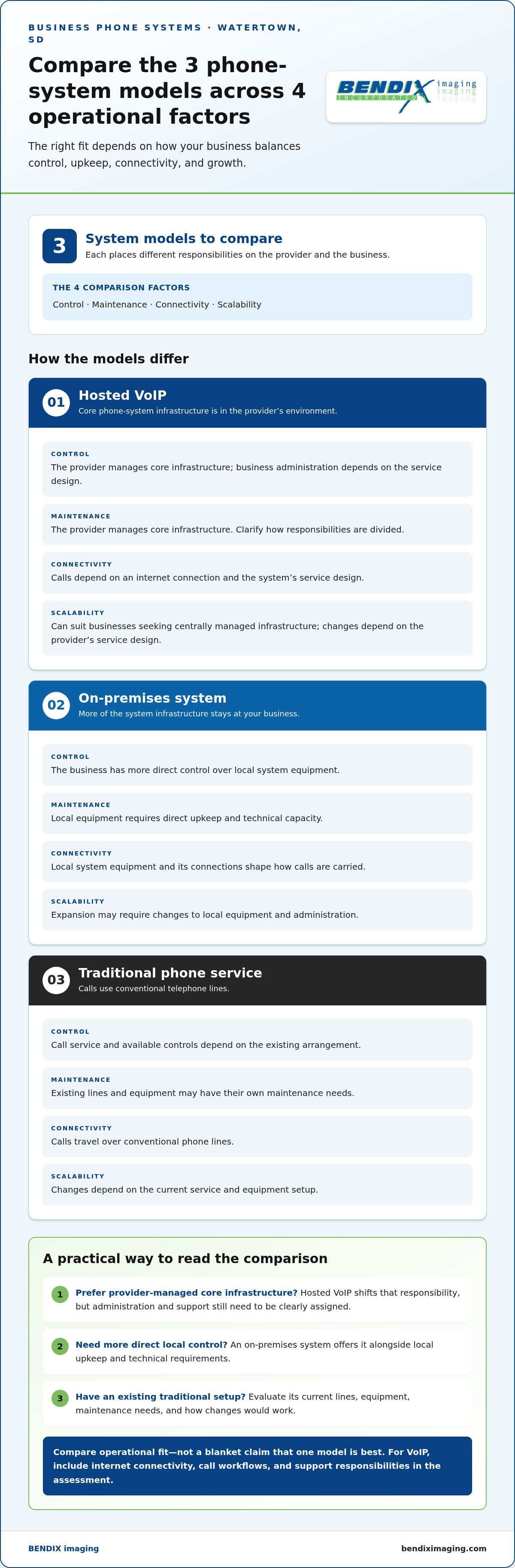
Choosing a phone model is a decision about control, upkeep, and fit with your business operations. Hosted VoIP places core phone-system infrastructure in the provider’s environment. An on-premises system keeps more of that infrastructure at your business. Traditional phone service uses conventional telephone lines and may rely on existing equipment. Each model has trade-offs, so compare responsibilities as carefully as call capabilities.
| Factor | Hosted VoIP | On-premises system | Traditional phone service |
|---|---|---|---|
| Control | Provider manages core system infrastructure; business administration depends on the service design. | Business has more direct control over local system equipment. | Call service and available controls depend on the existing arrangement. |
| Maintenance | Provider manages core infrastructure; clarify how responsibilities are divided. | Local equipment requires direct upkeep and technical capacity. | Existing lines and equipment may have their own maintenance needs. |
| Connectivity | Calls depend on an internet connection and the system’s service design. | Local system equipment and its connections shape how calls are carried. | Calls use conventional phone lines. |
| Scalability | Can suit businesses seeking centrally managed infrastructure; changes depend on the provider’s service design. | Expansion may require changes to local equipment and administration. | Changes depend on the current service and equipment setup. |
The FCC explains how VoIP differs from traditional phone service and outlines factors to consider. Its Federal Communications Commission (FCC) guide to VoIP offers useful background. Your decision should come down to operational fit, not a blanket claim that one model is best.
When does hosted VoIP make sense for a local business?
Hosted VoIP can suit a business that prefers provider-managed core infrastructure over maintaining that system locally. Before selecting it, map expected user growth, locations, and who will handle routine administration. Consider internet connectivity, too: calls depend on it, and the service design affects how the system works. Central management can shift responsibilities, but it doesn’t remove the need to understand them.
When might an on-premises or traditional system remain relevant?
Existing equipment, internal technical capacity, and specific operating requirements can make a locally maintained or traditional setup worth evaluating. On-premises equipment offers more direct local control, along with more upkeep. Traditional service may still fit a business whose current arrangement meets its call needs. Compare the work required to maintain today’s setup with the effort and changes involved in adopting another model.
For businesses comparing VoIP systems Watertown SD, document who owns each task: infrastructure, equipment upkeep, administration, and connectivity planning. BENDIX imaging provides commercial VoIP systems in Watertown, connecting communications planning with wider business technology needs. Review BENDIX imaging’s business technology services as you consider how phone-system responsibilities fit your organization.
Evaluate VoIP Features, Security, and Continuity Before You Choose
A long feature list can distract from the questions that matter: Can callers reach the right person? Can staff manage the system responsibly? What happens to calls during an internet or power interruption? Evaluate VoIP as part of your communications and technology setup, not as a menu of extras. EDUCBA’s explanation of VoIP offers background on the technology, but your requirements should come from your team’s day-to-day needs.
Which call-handling capabilities match your team’s workflow?
Trace a typical call from the first ring to its destination. Note who answers at reception, which calls go to shared lines, how staff transfer callers, and where unanswered calls should go. Include voicemail, reporting needs, and the path for calls outside normal business hours. Then separate functions that support essential responsibilities from conveniences that could add complexity without improving service.
- Call handling: Identify reception coverage, shared lines, transfers, and call paths.
- Voicemail: Decide who checks messages, how they’re handled, and which roles need access.
- User administration: Assign responsibility for adding, changing, and removing user access as staff roles shift.
- Reporting: Define what call information managers need and how they’ll use it.
Use this rule: Essential requirements solve a real call-handling or administration need; optional conveniences are features the team can operate without. Prioritize workflows before evaluating individual features. That keeps VoIP systems Watertown SD businesses assess grounded in how people work, rather than feature count alone.
How should businesses assess security and service continuity?
Phone security depends on more than the phone service. Review who can access accounts and make system changes, how the voice system fits into network protections, and who is responsible for backups and escalation if a problem arises. Assign clear ownership across the business, its IT support, and the phone-system support relationship. BENDIX imaging connects commercial VoIP with broader managed IT and cybersecurity considerations. For more on protecting business technology, see this Eastern South Dakota cybersecurity guide.
Continuity needs its own plan. Hosted or internet-connected calling depends on connectivity, and phones may also rely on power at the workplace. Identify which teams need to communicate during an interruption, the alternate contact process they’ll follow, and who coordinates decisions. A plan clarifies actions and responsibilities, but it can’t eliminate the possibility of disruption.
- Essential: Named access and administration responsibilities, a network security review, clear backup and escalation ownership, and a documented interruption plan.
- Optional: Additional capabilities that don’t address a defined call, security, or continuity requirement.
Keep this distinction visible during selection. A system fits when its core functions, security responsibilities, and continuity plan match your operating needs.
Plan a VoIP Transition in Watertown Without Disrupting Daily Work
A phone-system change touches more than equipment. It can affect customer access, staff routines, and the network other business tools rely on. Reduce avoidable surprises by treating the transition as a sequence of planning, testing, and communication steps. Set a cutover date only after the people, numbers, call paths, and dependencies are understood.
What should a business document before implementation?
Build an accurate picture of the current setup. Inventory phone numbers, extensions, devices, call routes, and the staff who rely on each. Record business hours, shared lines, voicemail needs, and customer-facing workflows that can’t be overlooked. Note internet and power dependencies so the implementation plan accounts for what supports phone availability.
Review network readiness early. Consider how the current network serves the workplace and what voice traffic requires before planning the transition. If the project includes wider network support, managed IT services in Watertown can be considered alongside phone planning.
How can teams prepare for cutover and adoption?
Number transfers are a project dependency, not a detail to leave until the last minute. Keep an inventory of numbers in use, identify essential lines, and include transfer coordination in the overall plan. Timing can vary, so don’t build a transition around an assumed completion date. Keep staff informed about what will change and where to direct questions.
- Map the call flow. Document how calls enter the business, who answers, where calls transfer, and how voicemail is handled.
- Confirm project dependencies. Review numbers, devices, network and power needs, business hours, and key user responsibilities.
- Prepare staff. Schedule internal communications and orientation so employees understand the new process and know the designated support contact.
- Test before relying on the setup. Place representative inbound and outbound calls, verify key routes and voicemail paths, and document any issues that need attention.
- Review fallback procedures. Make sure staff know what to do if connectivity, power, or a call path is unavailable during or after the transition.
Test real work, not just a successful call to one desk. Include the routes customers use most and the roles responsible for answering or transferring calls. Record who approves readiness and who coordinates follow-up if a test fails. For businesses with compliance-sensitive communications, the business compliance guide can help connect operational planning with broader compliance considerations.
BENDIX imaging provides commercial VoIP systems in Watertown and connects phone planning with managed IT and cybersecurity considerations. Plan your business VoIP transition with BENDIX imaging as part of a deliberate implementation process.
Choose a Watertown VoIP Partner That Connects Phones With Business IT
A phone system doesn’t operate in isolation. It relies on the business network, staff workflows, and clear ownership when changes or issues arise. Choose a partner by looking beyond phone service: consider how communications planning fits with the IT and network responsibilities that support daily operations. BENDIX imaging provides commercial VoIP systems in Watertown, along with managed IT and cybersecurity services that put phone planning in a broader business technology context.
Why connect phone planning with broader technology operations?
VoIP depends on internet connectivity, so network planning is part of communications planning. A coordinated approach can clarify which responsibilities sit with the business, which relate to the phone system, and who should be involved if an issue affects both. That clarity matters during system changes and routine administration. Businesses assessing these wider responsibilities can also review managed IT support in South Dakota as part of technology planning.
Keep the discussion practical. Describe where staff work, how calls move through the organization, and which network or operational dependencies need attention. This gives the conversation a business-focused starting point instead of reducing the decision to a list of features.
What should a Watertown business bring to a VoIP discussion?
Arrive with a concise view of how your organization communicates now and what may change. An inventory helps connect system choices to real responsibilities, customer contact paths, and continuity concerns. Include people who understand daily call handling and the person responsible for IT or network operations. Each may see a different risk or requirement.
- Staff and locations: Note who needs phone access and where teams work.
- Numbers and call paths: List current business numbers and describe how important calls reach the right roles.
- Required capabilities: Separate essential call-handling needs from optional conveniences.
- Continuity concerns: Identify how internet or power interruptions could affect business communications and what fallback process staff need.
- Expected changes: Share likely shifts in staffing, work locations, or call responsibilities that could affect the system’s fit.
This preparation keeps the discussion focused on business needs, project requirements, and how phone responsibilities connect with the wider technology environment. For organizations with compliance-sensitive processes, the business compliance guide can offer another perspective on aligning technology decisions with business requirements.
BENDIX imaging serves businesses in Watertown and across Eastern South Dakota with commercial VoIP systems and broader technology services. Bring your call needs, staff and location details, and key concerns to the conversation. Discuss a VoIP system for your business with BENDIX imaging.
Set Your Business Up for Clearer Communication
Make your next step a decision your team can explain and maintain. Before selecting VoIP systems Watertown SD businesses can use, agree on what successful communication looks like for your organization: who needs to be reachable, how callers should be handled, and how phone responsibilities fit into wider technology operations. That shared understanding gives owners, office managers, and IT staff a practical foundation for moving forward.
Keep the plan useful after implementation. As roles, locations, and customer expectations change, revisit whether your phone setup still supports the way the business works. Clear ownership and periodic review can help prevent small operational changes from becoming communication gaps.
BENDIX imaging works with businesses on commercial VoIP alongside managed IT and cybersecurity services. Discuss your business VoIP needs with BENDIX imaging and take the next step with a clearer plan.
Frequently Asked Questions
Can a business keep its existing phone numbers when switching to VoIP?
It may be possible to transfer existing business numbers, but eligibility and process depend on the numbers and service arrangements. Make a complete list of active numbers, including lines used for faxing, departments, or published customer contact details. Coordinate the transfer as part of the transition, and don’t cancel existing service prematurely. This gives your team time to plan customer notices and test incoming calls before relying on the new setup.
Does VoIP work if the internet or power goes out?
Internet-based calls rely on connectivity, and phones or network equipment may also need power, so an outage can affect calling. The impact depends on the system design and business location. Identify the most critical calls, such as customer inquiries or staff coordination, and decide how employees should respond if those routes are unavailable. Document a fallback process in advance and make sure staff know where to find it.
Do employees need special phones to use a business VoIP system?
Device requirements vary by system and deployment model. Some setups use compatible desk phones or other supported endpoints, but an existing handset shouldn’t be assumed to work with every system. Before planning a migration, inventory the devices employees use and note which roles need a desk phone or another way to place and receive calls. This helps identify equipment decisions early and account for staff needs during implementation.
Can VoIP support a business with more than one location?
Many business VoIP systems are designed to support distributed teams, but capabilities depend on the service and its configuration. For businesses with offices in Watertown, Brookings, Sioux Falls, Huron, or Montevideo, document users, locations, call routes, and who will administer the system. This makes comparisons of VoIP systems Watertown SD businesses consider more specific, especially when offices handle calls differently or share responsibilities.
Is VoIP suitable for businesses that handle sensitive information?
It can be suitable, but security depends on the system, its configuration, network protections, and the organization’s obligations. Include account access, information handling, and continuity needs in the evaluation rather than treating phone service alone as a security solution. If your business has formal compliance requirements, coordinate phone planning with existing security and compliance processes. Involve the people responsible for those obligations before finalizing system decisions.
How much does a business VoIP system cost?
Cost depends on the project, including the number of users, equipment needs, service configuration, and implementation requirements. Rather than relying on a general price range, document how calls move through the business, which devices staff need, how many locations are involved, and what support responsibilities matter. A clear scope helps frame a proposal around your actual operating requirements instead of assumptions that may not fit.
Can a business use VoIP during a power outage?
It depends on whether power remains available to the internet connection, network equipment, and phone endpoints, as well as how the system is designed. The VoIP service itself might still be operating while local equipment cannot place or receive calls. Identify essential communications and consider what continuity measures fit your business. Document who decides when to use the fallback process, how staff will follow it, and how customers should be directed.
{"@context":"https://schema.org","@type":"FAQPage","mainEntity":[{"@type":"Question","name":"What changes when a business moves from traditional phones to VoIP?","acceptedAnswer":{"@type":"Answer","text":"With traditional service, calls travel over conventional phone lines. With VoIP, they travel through an internet connection and phone system. That changes the technology carrying calls, but not the practical work of planning the setup. Service, physical handsets, network readiness, and ongoing support are related parts of a business phone system, not interchangeable items. Plan each part separately. Identify the numbers your business relies on, the equipment staff use, and how calls should move between people or departments. Number transfers and call workflows need deliberate planning. Don’t assume transfers happen automatically or that every system handles them the same way."}},{"@type":"Question","name":"Which Watertown businesses should assess a phone-system change?","acceptedAnswer":{"@type":"Answer","text":"Owners and office managers should review the setup when staff miss calls, customers struggle to reach the right person, or the system no longer fits the way the team works. Businesses that handle frequent customer calls should map call volume and handoffs before choosing a system. The same applies to organizations with multiple locations or different call responsibilities across staff. Start by mapping a typical workday: when calls arrive, who answers, where callers are transferred, and which roles need to make or receive calls. Include Eastern South Dakota operations in Watertown, Brookings, Sioux Falls, Huron, or Montevideo if they share staff or phone workflows. This gives you a practical basis for comparing VoIP systems Watertown SD businesses may consider, without treating the technology as a one-size-fits-all fix. Choosing a phone model is a decision about control, upkeep, and fit with your business operations. Hosted VoIP places core phone-system infrastructure in the provider’s environment. An on-premises system keeps more of that infrastructure at your business. Traditional phone service uses conventional telephone lines and may rely on existing equipment. Each model has trade-offs, so compare responsibilities as carefully as call capabilities. The FCC explains how VoIP differs from traditional phone service and outlines factors to consider. Its Federal Communications Commission (FCC) guide to VoIP offers useful background. Your decision should come down to operational fit, not a blanket claim that one model is best."}},{"@type":"Question","name":"When does hosted VoIP make sense for a local business?","acceptedAnswer":{"@type":"Answer","text":"Hosted VoIP can suit a business that prefers provider-managed core infrastructure over maintaining that system locally. Before selecting it, map expected user growth, locations, and who will handle routine administration. Consider internet connectivity, too: calls depend on it, and the service design affects how the system works. Central management can shift responsibilities, but it doesn’t remove the need to understand them."}},{"@type":"Question","name":"When might an on-premises or traditional system remain relevant?","acceptedAnswer":{"@type":"Answer","text":"Existing equipment, internal technical capacity, and specific operating requirements can make a locally maintained or traditional setup worth evaluating. On-premises equipment offers more direct local control, along with more upkeep. Traditional service may still fit a business whose current arrangement meets its call needs. Compare the work required to maintain today’s setup with the effort and changes involved in adopting another model. For businesses comparing VoIP systems Watertown SD, document who owns each task: infrastructure, equipment upkeep, administration, and connectivity planning. BENDIX imaging provides commercial VoIP systems in Watertown, connecting communications planning with wider business technology needs. Review BENDIX imaging’s business technology services as you consider how phone-system responsibilities fit your organization. A long feature list can distract from the questions that matter: Can callers reach the right person? Can staff manage the system responsibly? What happens to calls during an internet or power interruption? Evaluate VoIP as part of your communications and technology setup, not as a menu of extras. EDUCBA’s explanation of VoIP offers background on the technology, but your requirements should come from your team’s day-to-day needs."}},{"@type":"Question","name":"Which call-handling capabilities match your team’s workflow?","acceptedAnswer":{"@type":"Answer","text":"Trace a typical call from the first ring to its destination. Note who answers at reception, which calls go to shared lines, how staff transfer callers, and where unanswered calls should go. Include voicemail, reporting needs, and the path for calls outside normal business hours. Then separate functions that support essential responsibilities from conveniences that could add complexity without improving service. Use this rule: Essential requirements solve a real call-handling or administration need; optional conveniences are features the team can operate without. Prioritize workflows before evaluating individual features. That keeps VoIP systems Watertown SD businesses assess grounded in how people work, rather than feature count alone."}},{"@type":"Question","name":"How should businesses assess security and service continuity?","acceptedAnswer":{"@type":"Answer","text":"Phone security depends on more than the phone service. Review who can access accounts and make system changes, how the voice system fits into network protections, and who is responsible for backups and escalation if a problem arises. Assign clear ownership across the business, its IT support, and the phone-system support relationship. BENDIX imaging connects commercial VoIP with broader managed IT and cybersecurity considerations. For more on protecting business technology, see this Eastern South Dakota cybersecurity guide. Continuity needs its own plan. Hosted or internet-connected calling depends on connectivity, and phones may also rely on power at the workplace. Identify which teams need to communicate during an interruption, the alternate contact process they’ll follow, and who coordinates decisions. A plan clarifies actions and responsibilities, but it can’t eliminate the possibility of disruption. Keep this distinction visible during selection. A system fits when its core functions, security responsibilities, and continuity plan match your operating needs. A phone-system change touches more than equipment. It can affect customer access, staff routines, and the network other business tools rely on. Reduce avoidable surprises by treating the transition as a sequence of planning, testing, and communication steps. Set a cutover date only after the people, numbers, call paths, and dependencies are understood."}},{"@type":"Question","name":"What should a business document before implementation?","acceptedAnswer":{"@type":"Answer","text":"Build an accurate picture of the current setup. Inventory phone numbers, extensions, devices, call routes, and the staff who rely on each. Record business hours, shared lines, voicemail needs, and customer-facing workflows that can’t be overlooked. Note internet and power dependencies so the implementation plan accounts for what supports phone availability. Review network readiness early. Consider how the current network serves the workplace and what voice traffic requires before planning the transition. If the project includes wider network support, managed IT services in Watertown can be considered alongside phone planning."}},{"@type":"Question","name":"How can teams prepare for cutover and adoption?","acceptedAnswer":{"@type":"Answer","text":"Number transfers are a project dependency, not a detail to leave until the last minute. Keep an inventory of numbers in use, identify essential lines, and include transfer coordination in the overall plan. Timing can vary, so don’t build a transition around an assumed completion date. Keep staff informed about what will change and where to direct questions. Test real work, not just a successful call to one desk. Include the routes customers use most and the roles responsible for answering or transferring calls. Record who approves readiness and who coordinates follow-up if a test fails. For businesses with compliance-sensitive communications, the business compliance guide can help connect operational planning with broader compliance considerations. BENDIX imaging provides commercial VoIP systems in Watertown and connects phone planning with managed IT and cybersecurity considerations. Plan your business VoIP transition with BENDIX imaging as part of a deliberate implementation process. A phone system doesn’t operate in isolation. It relies on the business network, staff workflows, and clear ownership when changes or issues arise. Choose a partner by looking beyond phone service: consider how communications planning fits with the IT and network responsibilities that support daily operations. BENDIX imaging provides commercial VoIP systems in Watertown, along with managed IT and cybersecurity services that put phone planning in a broader business technology context."}},{"@type":"Question","name":"Why connect phone planning with broader technology operations?","acceptedAnswer":{"@type":"Answer","text":"VoIP depends on internet connectivity, so network planning is part of communications planning. A coordinated approach can clarify which responsibilities sit with the business, which relate to the phone system, and who should be involved if an issue affects both. That clarity matters during system changes and routine administration. Businesses assessing these wider responsibilities can also review managed IT support in South Dakota as part of technology planning. Keep the discussion practical. Describe where staff work, how calls move through the organization, and which network or operational dependencies need attention. This gives the conversation a business-focused starting point instead of reducing the decision to a list of features."}},{"@type":"Question","name":"What should a Watertown business bring to a VoIP discussion?","acceptedAnswer":{"@type":"Answer","text":"Arrive with a concise view of how your organization communicates now and what may change. An inventory helps connect system choices to real responsibilities, customer contact paths, and continuity concerns. Include people who understand daily call handling and the person responsible for IT or network operations. Each may see a different risk or requirement. This preparation keeps the discussion focused on business needs, project requirements, and how phone responsibilities connect with the wider technology environment. For organizations with compliance-sensitive processes, the business compliance guide can offer another perspective on aligning technology decisions with business requirements. BENDIX imaging serves businesses in Watertown and across Eastern South Dakota with commercial VoIP systems and broader technology services. Bring your call needs, staff and location details, and key concerns to the conversation. Discuss a VoIP system for your business with BENDIX imaging. Make your next step a decision your team can explain and maintain. Before selecting VoIP systems Watertown SD businesses can use, agree on what successful communication looks like for your organization: who needs to be reachable, how callers should be handled, and how phone responsibilities fit into wider technology operations. That shared understanding gives owners, office managers, and IT staff a practical foundation for moving forward. Keep the plan useful after implementation. As roles, locations, and customer expectations change, revisit whether your phone setup still supports the way the business works. Clear ownership and periodic review can help prevent small operational changes from becoming communication gaps. BENDIX imaging works with businesses on commercial VoIP alongside managed IT and cybersecurity services. Discuss your business VoIP needs with BENDIX imaging and take the next step with a clearer plan."}},{"@type":"Question","name":"Can a business keep its existing phone numbers when switching to VoIP?","acceptedAnswer":{"@type":"Answer","text":"It may be possible to transfer existing business numbers, but eligibility and process depend on the numbers and service arrangements. Make a complete list of active numbers, including lines used for faxing, departments, or published customer contact details. Coordinate the transfer as part of the transition, and don’t cancel existing service prematurely. This gives your team time to plan customer notices and test incoming calls before relying on the new setup."}},{"@type":"Question","name":"Does VoIP work if the internet or power goes out?","acceptedAnswer":{"@type":"Answer","text":"Internet-based calls rely on connectivity, and phones or network equipment may also need power, so an outage can affect calling. The impact depends on the system design and business location. Identify the most critical calls, such as customer inquiries or staff coordination, and decide how employees should respond if those routes are unavailable. Document a fallback process in advance and make sure staff know where to find it."}},{"@type":"Question","name":"Do employees need special phones to use a business VoIP system?","acceptedAnswer":{"@type":"Answer","text":"Device requirements vary by system and deployment model. Some setups use compatible desk phones or other supported endpoints, but an existing handset shouldn’t be assumed to work with every system. Before planning a migration, inventory the devices employees use and note which roles need a desk phone or another way to place and receive calls. This helps identify equipment decisions early and account for staff needs during implementation."}},{"@type":"Question","name":"Can VoIP support a business with more than one location?","acceptedAnswer":{"@type":"Answer","text":"Many business VoIP systems are designed to support distributed teams, but capabilities depend on the service and its configuration. For businesses with offices in Watertown, Brookings, Sioux Falls, Huron, or Montevideo, document users, locations, call routes, and who will administer the system. This makes comparisons of VoIP systems Watertown SD businesses consider more specific, especially when offices handle calls differently or share responsibilities."}},{"@type":"Question","name":"Is VoIP suitable for businesses that handle sensitive information?","acceptedAnswer":{"@type":"Answer","text":"It can be suitable, but security depends on the system, its configuration, network protections, and the organization’s obligations. Include account access, information handling, and continuity needs in the evaluation rather than treating phone service alone as a security solution. If your business has formal compliance requirements, coordinate phone planning with existing security and compliance processes. Involve the people responsible for those obligations before finalizing system decisions."}},{"@type":"Question","name":"How much does a business VoIP system cost?","acceptedAnswer":{"@type":"Answer","text":"Cost depends on the project, including the number of users, equipment needs, service configuration, and implementation requirements. Rather than relying on a general price range, document how calls move through the business, which devices staff need, how many locations are involved, and what support responsibilities matter. A clear scope helps frame a proposal around your actual operating requirements instead of assumptions that may not fit."}},{"@type":"Question","name":"Can a business use VoIP during a power outage?","acceptedAnswer":{"@type":"Answer","text":"It depends on whether power remains available to the internet connection, network equipment, and phone endpoints, as well as how the system is designed. The VoIP service itself might still be operating while local equipment cannot place or receive calls. Identify essential communications and consider what continuity measures fit your business. Document who decides when to use the fallback process, how staff will follow it, and how customers should be directed."}}]}


