
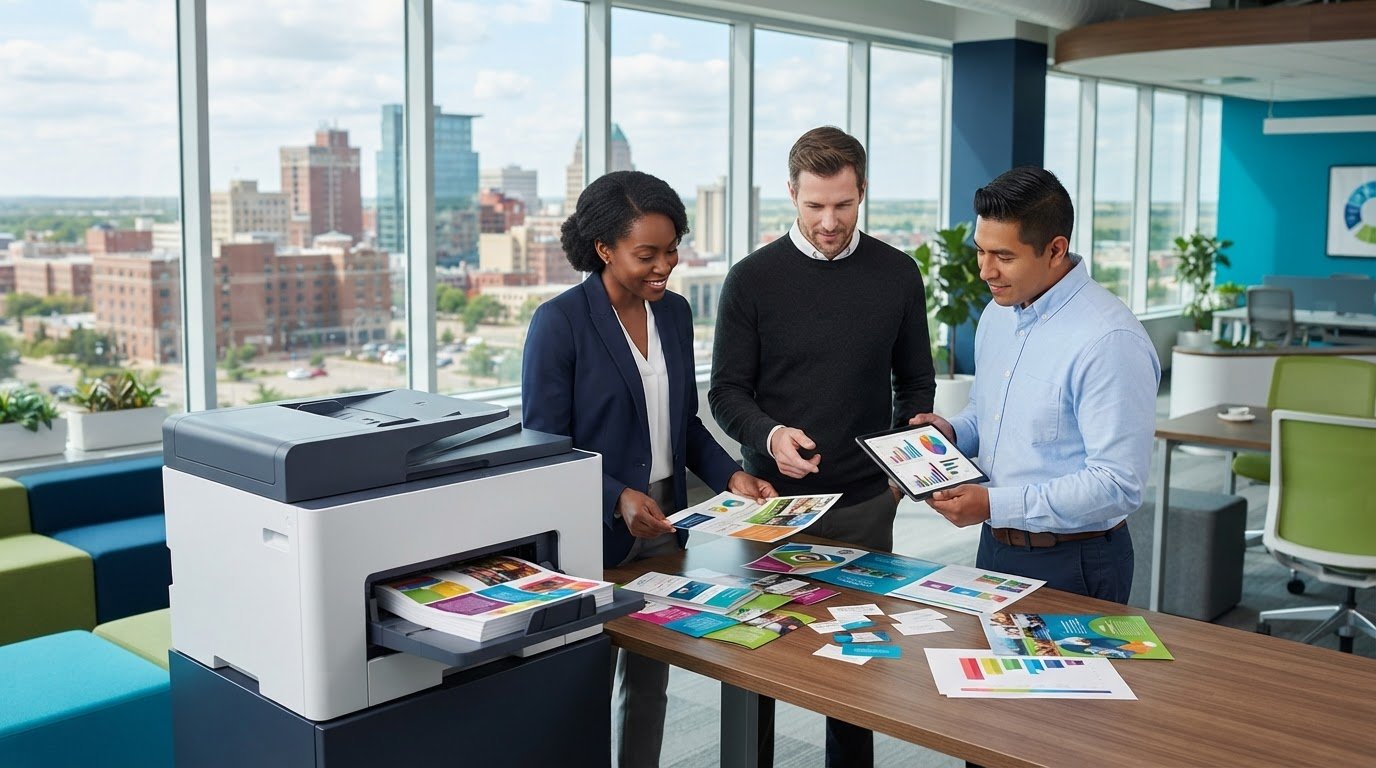
What if the best iColor printer for your Sioux Falls business isn’t the one with the most impressive spec sheet? The right choice starts with the work you need to produce. Professional iColor printer sales should help you match equipment to real print jobs, materials, and workflow needs, so you can plan for quality and supplies before you buy.
Before investing in business printing equipment, identify which output you need, which specifications matter for your materials and workload, and how the printer will fit into daily operations. BENDIX imaging provides professional iColor equipment, printing supplies, and managed print solutions for businesses in Sioux Falls and across Eastern South Dakota, including Watertown, Brookings, Huron, and Montevideo.
This guide explains how to compare iColor equipment based on your print requirements rather than specifications in isolation. Use it to assess output, materials, workflow, and ongoing supplies, then plan for a practical transition into everyday use. A clear view of both the equipment and the work it needs to do makes for a more informed buying decision.
Key Takeaways
- Start with the print jobs your business needs to produce, then identify the equipment category that fits those requirements.
- Compare output needs, supported materials, workflow demands, supplies, and support, not specifications in isolation.
- Use recent job records to assess print volume and frequency before making a purchasing decision.
- Plan for space, files, staff responsibilities, and supplies so the new printer can fit into daily work.
- Explore how professional iColor printer sales from BENDIX imaging connect equipment with printing supplies and managed print support in Sioux Falls and Eastern South Dakota.
Professional iColor Printers: What Businesses Should Expect from the Equipment
Professional iColor equipment is designed for business print applications that may call for more than routine office documents. The iColor range includes different equipment and configurations, so capabilities vary. Don’t assume every printer handles the same materials, output types, or workflow. Start with the finished job you need, then match equipment to that requirement.
Businesses may consider specialized equipment for distinctive, repeatable work, such as transfer printing for apparel or other materials. Depending on the equipment and configuration, iColor systems can support specialty outputs such as white toner transfers and other toner effects. These capabilities aren’t universal across every setup. Digital printing technology provides background on how digital processes differ from traditional printing methods, but your application determines which equipment details matter.
Which business print jobs may call for iColor equipment?
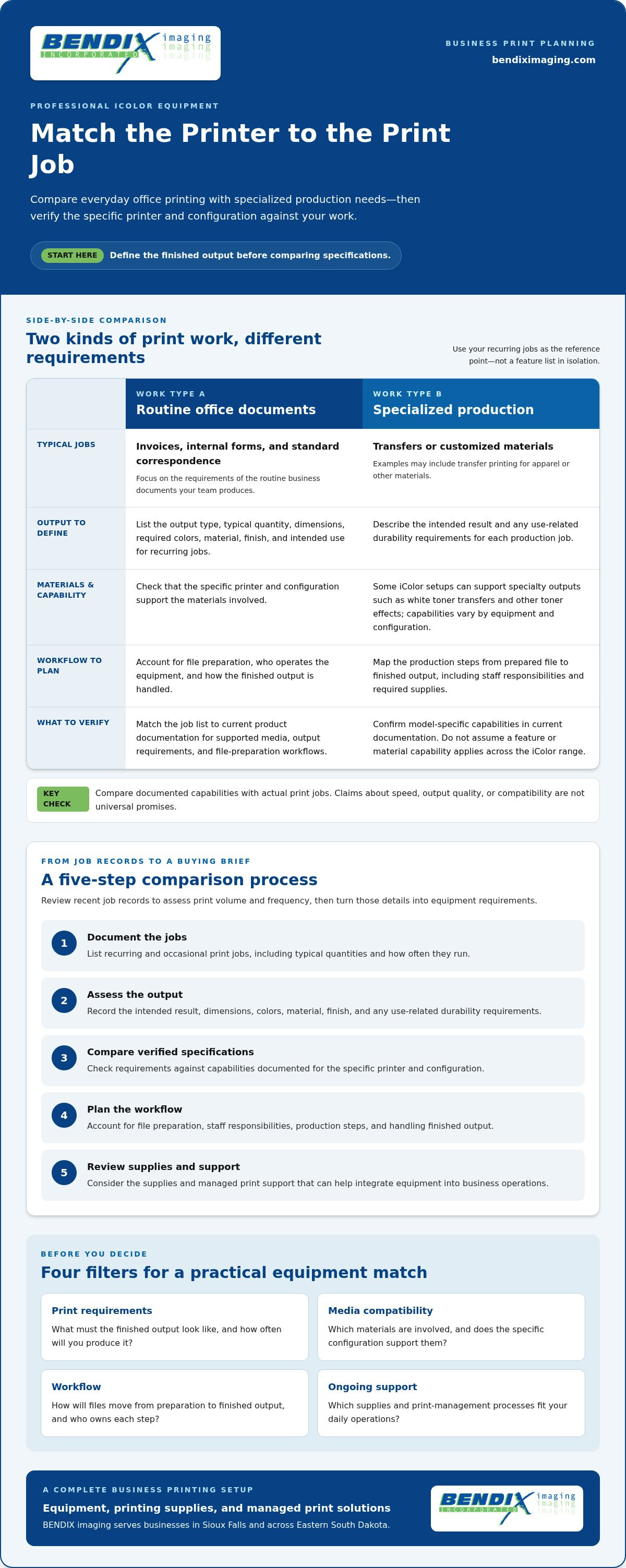
Separate everyday office documents from production jobs with specific output requirements. A business printing invoices, internal forms, and standard correspondence may have different needs from one producing specialty transfers or customized materials. Before evaluating equipment, list the recurring jobs, output types, materials, and quantities your team handles. This gives you a practical starting point without assuming a printer’s capabilities.
What should buyers know before comparing iColor printers?
Capabilities depend on the printer and its configuration, including supported media and workflow. Compare documented details against your print-job list, then account for file preparation, who will operate the equipment, and which supplies the jobs require. Use current product documentation for model-specific decisions. A feature associated with one setup should not be treated as standard across the range.
Keep the buying decision grounded in four questions:
- Print requirements: What does the finished output need to look like, and how often will you produce it?
- Media compatibility: Which materials are involved, and does the specific configuration support them?
- Workflow: How will files move from preparation to finished output, and who owns each step?
- Ongoing support: Which supplies and print-management processes will help keep the equipment aligned with daily operations?
Equipment sales are one part of a business printing setup. BENDIX imaging sells professional iColor equipment and printing supplies, and provides managed print solutions. The printer produces the work, supplies support its operation, and managed print helps businesses consider equipment within a broader print environment. For Sioux Falls organizations exploring professional iColor printer sales, define the application first. It’s the clearest way to compare equipment without mistaking a spec sheet for a complete buying decision.
Matching iColor Printers to Your Business Print Needs
Start with the work, not a model name. A clear record of the jobs your business produces gives you a practical basis for comparing equipment and avoiding a mismatch between printer capabilities and daily needs.
Build a print-job checklist before selecting equipment
Review recent job records to estimate volume and frequency. For each recurring job, note its output type, typical quantity, dimensions, required colors, material, finish, and intended use. Separate must-haves from optional features. For example, a material requirement tied to a core product is essential; a finish used only for occasional work may be optional.
Use this five-step process to turn the checklist into a buying brief:
- 1. Document jobs: List recurring and occasional print jobs, including typical quantities and how often they run.
- 2. Assess output: Describe the intended result, dimensions, colors, material, and any use-related durability requirements.
- 3. Compare specifications: Match requirements only to capabilities documented for the specific printer and configuration.
- 4. Plan workflow: Account for file preparation, staff responsibilities, production steps, and how finished output will be handled.
- 5. Review support: Consider the supplies and managed print support that can help integrate equipment into business operations.
Match verified specifications to everyday production needs
Check manufacturer documentation for supported media, output requirements, and file-preparation workflows. Don’t assume a printer’s ability to handle one material or process applies to every model or configuration. Evaluate claims about speed, output quality, and compatibility against current documentation and your actual jobs, rather than treating them as universal promises.
For standard office documents, prioritize the requirements of routine business printing. For specialized production, focus on the precise output and materials your work calls for. General guidance on choosing a printer for your small business can offer a broader comparison framework, while your job checklist keeps the decision specific to your application.
For more detail on how equipment, process, and workflow connect, read this guide to the iColor printing process and workflow. Bring your requirements into professional iColor printer sales discussions with BENDIX imaging. Equipment selection can be considered alongside printing supplies and managed print support. A documented job list gives the conversation a useful starting point for businesses in Sioux Falls, Watertown, Brookings, Huron, and Montevideo.
Compare Professional iColor Printer Options Beyond the Spec Sheet
A printer can look right on paper and still disappoint if it can’t handle the materials, output, or workflow your business relies on. Compare each option against your documented print jobs, and prioritize fit over headline specifications that don’t affect the work. For guidance on the broader print-management picture, see managed print solutions for business.
Which purchase criteria matter most for business buyers?
Use a comparison table to keep the decision grounded in real requirements. Fill in model-specific details from current manufacturer documentation rather than assuming capabilities are shared across the iColor range.
| Criterion | What to compare | Your requirement |
|---|---|---|
| Output fit | Documented output capabilities relevant to the finished job | Required appearance, dimensions, and repeatability |
| Supported materials | Media listed for the specific equipment and configuration | Materials used in your recurring work |
| Workflow demands | Documented file preparation and production steps | How files and jobs move through your team |
| Supplies | Supplies required for the intended work | What needs to be planned for ongoing production |
| Support | Available printing-supply and managed print capabilities | Support needs within your business print environment |
Print-job fit comes first. A specification matters only if it serves the work you need to produce. Integration matters too: consider who prepares files, operates the equipment, and coordinates supply planning alongside existing business routines. For context on printing industry standards, consult the Association for PRINT Technologies.
How should businesses weigh equipment and managed print support?
Equipment is one part of ownership. Supplies and print management also shape how the setup fits into everyday operations. BENDIX imaging sells professional iColor equipment and printing supplies, and provides managed print solutions for businesses in Sioux Falls and Eastern South Dakota. Businesses in Watertown, Brookings, Huron, and Montevideo can also consider equipment alongside their broader print-management needs.
For professional iColor printer sales, bring your job requirements into the comparison and use current manufacturer specifications to assess each configuration. Explore BENDIX imaging’s business printing support to consider how equipment, supplies, and managed print can work together.
Prepare Your Business for an iColor Printer Purchase and Rollout
A smooth rollout starts before the equipment arrives. Document how printing works now, what needs to improve, and who will manage each step. Clear ownership helps prevent avoidable confusion, such as unclear file versions, unassigned print requests, or supplies running low without anyone noticing.
What should teams prepare before equipment goes into service?
Use this readiness checklist to prepare the space and the people who’ll use the equipment:
- Print jobs: List recurring jobs, expected quantities, and the output each one requires.
- Space: Identify a suitable location within the work area, considering operator access and room for the printing workflow.
- Staff workflow: Assign responsibility for preparing files, operating equipment, handling print requests, and tracking supplies.
- Files: Organize recurring job files and document the steps staff should follow to prepare and submit them.
- Supply planning: Use the equipment documentation to identify required supplies and establish a process for monitoring stock.
Don’t leave workflow ownership informal. Name a primary owner and clarify who can cover essential tasks. That gives staff a clear path for questions and helps keep repeat jobs consistent. Record current process issues and the improvements you want, such as fewer handoffs or clearer file organization. Those notes can guide adjustments after the printer enters daily use.
How can businesses plan for supplies and consistent workflows?
Base supply planning on the requirements documented for the selected equipment and the jobs you expect to run. Track usage and set a routine for checking stock and replenishing business printing supplies. The goal is a visible process, not guesswork: staff should know who monitors supplies, where that information is recorded, and how needs are communicated.
As the team adopts the workflow, keep a simple record of issues such as file-preparation delays, unclear job instructions, or recurring supply gaps. Note what happened and which job was affected. This gives staff useful information for improving procedures and makes support conversations more focused. For more ideas on maintaining supply continuity, see this guide to business printing supply planning.
Preparation connects the purchase to the reality of daily operations. For professional iColor printer sales in Sioux Falls, BENDIX imaging brings equipment together with printing supplies and managed print solutions for business needs. Explore iColor equipment for your business and plan for a rollout your team can manage with confidence.
Buy Professional iColor Printer Equipment with BENDIX imaging
Choosing equipment is easier when the decision stays connected to the work your business needs to produce. BENDIX imaging sells professional iColor equipment to commercial businesses and provides printing supplies and managed print solutions. For businesses in Sioux Falls and across Eastern South Dakota, including Watertown, Brookings, Huron, and Montevideo, equipment selection can be considered alongside the supplies and print-management needs that shape day-to-day operations.
What business buyers can expect from a local equipment partner
Professional iColor printer sales are a business equipment decision, not a one-size-fits-all purchase. Product capabilities vary by equipment and configuration, so your print applications and current manufacturer specifications should guide the match. BENDIX imaging works with commercial clients on iColor equipment, with printing supplies and managed print capabilities as related parts of the business printing environment. Keeping those needs connected makes the decision more practical than relying on a spec sheet alone.
Bring the requirements you’ve already gathered into the conversation. Recurring job types, output examples, quantities, material needs, file workflows, and supply considerations give the discussion a clear foundation. Include any current bottlenecks or desired improvements too. That context helps keep the focus on how equipment may fit your actual work rather than on features that don’t serve it.
Take the next step toward the right iColor printer
Before discussing your next step, organize a short buying brief with:
- Job examples: Representative samples or descriptions of recurring print work.
- Output needs: Materials, dimensions, appearance, and typical quantities.
- Workflow details: How files are prepared, who operates equipment, and how print requests are handled.
- Supply planning: The supplies your intended jobs require and how your team tracks stock.
This preparation gives your business a more focused way to evaluate equipment fit, supplies, and managed print needs. It also helps surface practical rollout considerations, such as who owns each workflow step and how recurring jobs will be handled consistently.
If your business is in Sioux Falls or elsewhere in Eastern South Dakota, bring your print requirements to BENDIX imaging to discuss professional iColor equipment. Start with the work you need done, then build the equipment decision around that need.
Choose Equipment That Fits the Work Ahead
A confident iColor purchase starts with your business’s print jobs, not a spec sheet alone. Use recent job records to define the output, materials, and workflow you need, then compare equipment capabilities against current product documentation. Plan for staff responsibilities and supplies before the printer becomes part of daily operations.
BENDIX imaging specializes in professional iColor equipment for commercial clients in Sioux Falls and across Eastern South Dakota, including Watertown, Brookings, Huron, and Montevideo. Its printing supplies and managed print solutions help businesses consider equipment alongside the practical needs of an ongoing print environment. That broader view can make professional iColor printer sales a more informed decision.
Bring your job requirements and rollout priorities to the conversation. Talk with BENDIX imaging about professional iColor equipment for your business, and take the next step toward a setup built around your work.
Frequently Asked Questions
What is an iColor printer used for in a business?
An iColor printer is business equipment for print applications that call for capabilities suited to specialized or repeatable production jobs. The right use depends on the specific printer and configuration, so don’t assume every unit handles the same output or materials. Start by identifying what your business prints, how often, and in what quantities, then compare those needs with manufacturer-documented equipment capabilities.
How do I choose a professional iColor printer for my business?
Choose equipment by matching documented capabilities to your actual jobs. Review recent print records, note typical quantities and frequency, and describe the output, materials, and file workflow you need. Then compare supported media, workflow requirements, supply planning, and available print support. Professional iColor printer sales should begin with those business requirements, not a model name or specification that doesn’t affect your intended work.
Can an iColor printer handle the materials my business uses?
That depends on the particular equipment and configuration. Check current manufacturer documentation for supported materials and compare it with the materials used in your planned jobs. Consider the required output dimensions and finish as well, since compatibility involves more than the material name alone. Avoid assuming that support for one material or process on a particular setup applies across the entire iColor range.
What should I compare when buying professional iColor printer equipment?
Compare fit for your print jobs first, then review documented output capabilities, supported materials, file preparation, workflow demands, supply requirements, and available support. Consider how the equipment will fit into staff routines and who will manage print requests and supplies. Headline specifications matter only when they serve your intended work. A side-by-side comparison based on actual business requirements makes gaps easier to spot.
How much does a professional iColor printer cost?
The cost depends on the selected equipment and configuration, so there isn’t one price that applies to every business requirement. Evaluate the equipment alongside the supplies and workflow your planned jobs require rather than focusing on the purchase price alone. BENDIX imaging sells professional iColor equipment and printing supplies. Share your print needs with the team to discuss equipment options and purchase details.
What supplies should a business plan for after buying an iColor printer?
Plan for the supplies required by the specific equipment and the jobs you expect to produce. Use manufacturer documentation to identify compatible supplies, then set a process for tracking stock and arranging replenishment before recurring work is affected. Your job records can help you anticipate which supplies are used regularly. BENDIX imaging provides printing supplies and managed print solutions for business printing needs.
Does BENDIX imaging sell professional iColor printers in Sioux Falls?
Yes. BENDIX imaging sells professional iColor equipment to commercial businesses in Sioux Falls and serves communities across Eastern South Dakota, including Watertown, Brookings, Huron, and Montevideo. The company also provides printing supplies and managed print solutions. Bring your job requirements, output examples, and workflow needs into a discussion about equipment fit and the practical steps for putting it into daily use.
{"@context":"https://schema.org","@type":"FAQPage","mainEntity":[{"@type":"Question","name":"Which business print jobs may call for iColor equipment?","acceptedAnswer":{"@type":"Answer","text":"Separate everyday office documents from production jobs with specific output requirements. A business printing invoices, internal forms, and standard correspondence may have different needs from one producing specialty transfers or customized materials. Before evaluating equipment, list the recurring jobs, output types, materials, and quantities your team handles. This gives you a practical starting point without assuming a printer’s capabilities."}},{"@type":"Question","name":"What should buyers know before comparing iColor printers?","acceptedAnswer":{"@type":"Answer","text":"Capabilities depend on the printer and its configuration, including supported media and workflow. Compare documented details against your print-job list, then account for file preparation, who will operate the equipment, and which supplies the jobs require. Use current product documentation for model-specific decisions. A feature associated with one setup should not be treated as standard across the range. Keep the buying decision grounded in four questions: Equipment sales are one part of a business printing setup. BENDIX imaging sells professional iColor equipment and printing supplies, and provides managed print solutions. The printer produces the work, supplies support its operation, and managed print helps businesses consider equipment within a broader print environment. For Sioux Falls organizations exploring professional iColor printer sales, define the application first. It’s the clearest way to compare equipment without mistaking a spec sheet for a complete buying decision. Start with the work, not a model name. A clear record of the jobs your business produces gives you a practical basis for comparing equipment and avoiding a mismatch between printer capabilities and daily needs."}},{"@type":"Question","name":"Which purchase criteria matter most for business buyers?","acceptedAnswer":{"@type":"Answer","text":"Use a comparison table to keep the decision grounded in real requirements. Fill in model-specific details from current manufacturer documentation rather than assuming capabilities are shared across the iColor range. Print-job fit comes first. A specification matters only if it serves the work you need to produce. Integration matters too: consider who prepares files, operates the equipment, and coordinates supply planning alongside existing business routines. For context on printing industry standards, consult the Association for PRINT Technologies."}},{"@type":"Question","name":"How should businesses weigh equipment and managed print support?","acceptedAnswer":{"@type":"Answer","text":"Equipment is one part of ownership. Supplies and print management also shape how the setup fits into everyday operations. BENDIX imaging sells professional iColor equipment and printing supplies, and provides managed print solutions for businesses in Sioux Falls and Eastern South Dakota. Businesses in Watertown, Brookings, Huron, and Montevideo can also consider equipment alongside their broader print-management needs. For professional iColor printer sales, bring your job requirements into the comparison and use current manufacturer specifications to assess each configuration. Explore BENDIX imaging’s business printing support to consider how equipment, supplies, and managed print can work together. A smooth rollout starts before the equipment arrives. Document how printing works now, what needs to improve, and who will manage each step. Clear ownership helps prevent avoidable confusion, such as unclear file versions, unassigned print requests, or supplies running low without anyone noticing."}},{"@type":"Question","name":"What should teams prepare before equipment goes into service?","acceptedAnswer":{"@type":"Answer","text":"Use this readiness checklist to prepare the space and the people who’ll use the equipment: Don’t leave workflow ownership informal. Name a primary owner and clarify who can cover essential tasks. That gives staff a clear path for questions and helps keep repeat jobs consistent. Record current process issues and the improvements you want, such as fewer handoffs or clearer file organization. Those notes can guide adjustments after the printer enters daily use."}},{"@type":"Question","name":"How can businesses plan for supplies and consistent workflows?","acceptedAnswer":{"@type":"Answer","text":"Base supply planning on the requirements documented for the selected equipment and the jobs you expect to run. Track usage and set a routine for checking stock and replenishing business printing supplies. The goal is a visible process, not guesswork: staff should know who monitors supplies, where that information is recorded, and how needs are communicated. As the team adopts the workflow, keep a simple record of issues such as file-preparation delays, unclear job instructions, or recurring supply gaps. Note what happened and which job was affected. This gives staff useful information for improving procedures and makes support conversations more focused. For more ideas on maintaining supply continuity, see this guide to business printing supply planning. Preparation connects the purchase to the reality of daily operations. For professional iColor printer sales in Sioux Falls, BENDIX imaging brings equipment together with printing supplies and managed print solutions for business needs. Explore iColor equipment for your business and plan for a rollout your team can manage with confidence. Choosing equipment is easier when the decision stays connected to the work your business needs to produce. BENDIX imaging sells professional iColor equipment to commercial businesses and provides printing supplies and managed print solutions. For businesses in Sioux Falls and across Eastern South Dakota, including Watertown, Brookings, Huron, and Montevideo, equipment selection can be considered alongside the supplies and print-management needs that shape day-to-day operations."}},{"@type":"Question","name":"What is an iColor printer used for in a business?","acceptedAnswer":{"@type":"Answer","text":"An iColor printer is business equipment for print applications that call for capabilities suited to specialized or repeatable production jobs. The right use depends on the specific printer and configuration, so don’t assume every unit handles the same output or materials. Start by identifying what your business prints, how often, and in what quantities, then compare those needs with manufacturer-documented equipment capabilities."}},{"@type":"Question","name":"How do I choose a professional iColor printer for my business?","acceptedAnswer":{"@type":"Answer","text":"Choose equipment by matching documented capabilities to your actual jobs. Review recent print records, note typical quantities and frequency, and describe the output, materials, and file workflow you need. Then compare supported media, workflow requirements, supply planning, and available print support. Professional iColor printer sales should begin with those business requirements, not a model name or specification that doesn’t affect your intended work."}},{"@type":"Question","name":"Can an iColor printer handle the materials my business uses?","acceptedAnswer":{"@type":"Answer","text":"That depends on the particular equipment and configuration. Check current manufacturer documentation for supported materials and compare it with the materials used in your planned jobs. Consider the required output dimensions and finish as well, since compatibility involves more than the material name alone. Avoid assuming that support for one material or process on a particular setup applies across the entire iColor range."}},{"@type":"Question","name":"What should I compare when buying professional iColor printer equipment?","acceptedAnswer":{"@type":"Answer","text":"Compare fit for your print jobs first, then review documented output capabilities, supported materials, file preparation, workflow demands, supply requirements, and available support. Consider how the equipment will fit into staff routines and who will manage print requests and supplies. Headline specifications matter only when they serve your intended work. A side-by-side comparison based on actual business requirements makes gaps easier to spot."}},{"@type":"Question","name":"How much does a professional iColor printer cost?","acceptedAnswer":{"@type":"Answer","text":"The cost depends on the selected equipment and configuration, so there isn’t one price that applies to every business requirement. Evaluate the equipment alongside the supplies and workflow your planned jobs require rather than focusing on the purchase price alone. BENDIX imaging sells professional iColor equipment and printing supplies. Share your print needs with the team to discuss equipment options and purchase details."}},{"@type":"Question","name":"What supplies should a business plan for after buying an iColor printer?","acceptedAnswer":{"@type":"Answer","text":"Plan for the supplies required by the specific equipment and the jobs you expect to produce. Use manufacturer documentation to identify compatible supplies, then set a process for tracking stock and arranging replenishment before recurring work is affected. Your job records can help you anticipate which supplies are used regularly. BENDIX imaging provides printing supplies and managed print solutions for business printing needs."}},{"@type":"Question","name":"Does BENDIX imaging sell professional iColor printers in Sioux Falls?","acceptedAnswer":{"@type":"Answer","text":"Yes. BENDIX imaging sells professional iColor equipment to commercial businesses in Sioux Falls and serves communities across Eastern South Dakota, including Watertown, Brookings, Huron, and Montevideo. The company also provides printing supplies and managed print solutions. Bring your job requirements, output examples, and workflow needs into a discussion about equipment fit and the practical steps for putting it into daily use."}}]}


